Creators wonder if using AI-generated voices could put their YouTube channels at risk through copyright strikes, monetization issues, or policy violations. Voice AI has become standard for content creation, but confusion about safe usage practices keeps many creators from leveraging this powerful technology. Understanding YouTube's guidelines and implementing proper safeguards protects channels while maximizing the benefits of AI voice tools.
Safe voice AI usage requires more than choosing the right generator. Creators need specific strategies to document AI usage, select voices that avoid copyright claims, and verify content meets platform standards before publishing. Building a sustainable approach with a reliable clip creator tool ensures channels remain monetized and compliant through 2026 and beyond.
Table of Contents
- Why AI Voice Feels Risky for YouTube Creators
- The Hidden Cost of Using AI Voice the Wrong Way
- 7 Practical Steps to Use AI Voice the Right Way
- How to Optimize AI Voice for YouTube Growth
- Create Your First Optimized AI Voiceover in 15 Minutes
Summary
- YouTube's reused content policy creates uncertainty because the language focuses on "original commentary or educational value" rather than production methods. The platform doesn't ban AI voice itself, but restricts repetitive, mass-produced content that lacks depth. Two channels using identical AI voice technology can yield completely different outcomes depending on whether they add original analysis, structured storytelling, and custom visuals, versus simply reading existing content over stock footage.
- Algorithmic suppression due to poor AI voice implementation occurs faster than most creators realize, with firms using AI voice without human oversight seeing a 40% drop in client trust scores, according to a 2025 Marketing Analytics Report. When an AI voice sounds robotic or emotionally flat, viewers leave early, which trains YouTube's recommendation engine to stop promoting your content. A four-minute difference in average watch time between engaging and flat AI voice directly determines whether the platform amplifies or buries your videos.
- The voice AI market grew to $10.05 billion in 2024, driven largely by improved integration with visual media and better pronunciation capabilities. The technology now supports over 175 languages, making global content creation accessible without hiring multilingual voice talent. This expansion removes geographic barriers and allows creators to quickly localize content for international audiences, turning a single script into multiple language versions optimized for local viewer preferences.
- Script quality accounts for 60% of the final AI voice output quality before any technical settings are adjusted. Writing conversational sentences with rhythm, pattern interrupts, and emotional shifts gives AI a voice structure to work with rather than flat corporate language. Creators who write for how people speak rather than how they read eliminate the robotic feeling that kills retention, while those who skip this foundational step waste time fixing audio issues that originate from poor writing.
- The first 15 seconds of any video determine viewer retention curve, algorithm push, and subscriber conversion rates, with 70% of what people watch on YouTube determined by the recommendation algorithm, according to platform analysis. Optimizing AI voice pacing in the opening hook, adding strategic pauses before key claims, and matching tone to niche expectations creates the retention advantage that triggers algorithmic promotion. Creators producing consistent uploads with optimized openings see 3x more growth opportunities than those prioritizing perfection over frequency.
- Crayo's clip creator tool addresses the execution gap by letting creators audition multiple voice options, adjust pacing, and re-render voiceovers in seconds without manual recording setups, turning AI voice optimization from a time-consuming technical challenge into a 15-minute repeatable workflow.
Why AI Voice Feels Risky for YouTube Creators
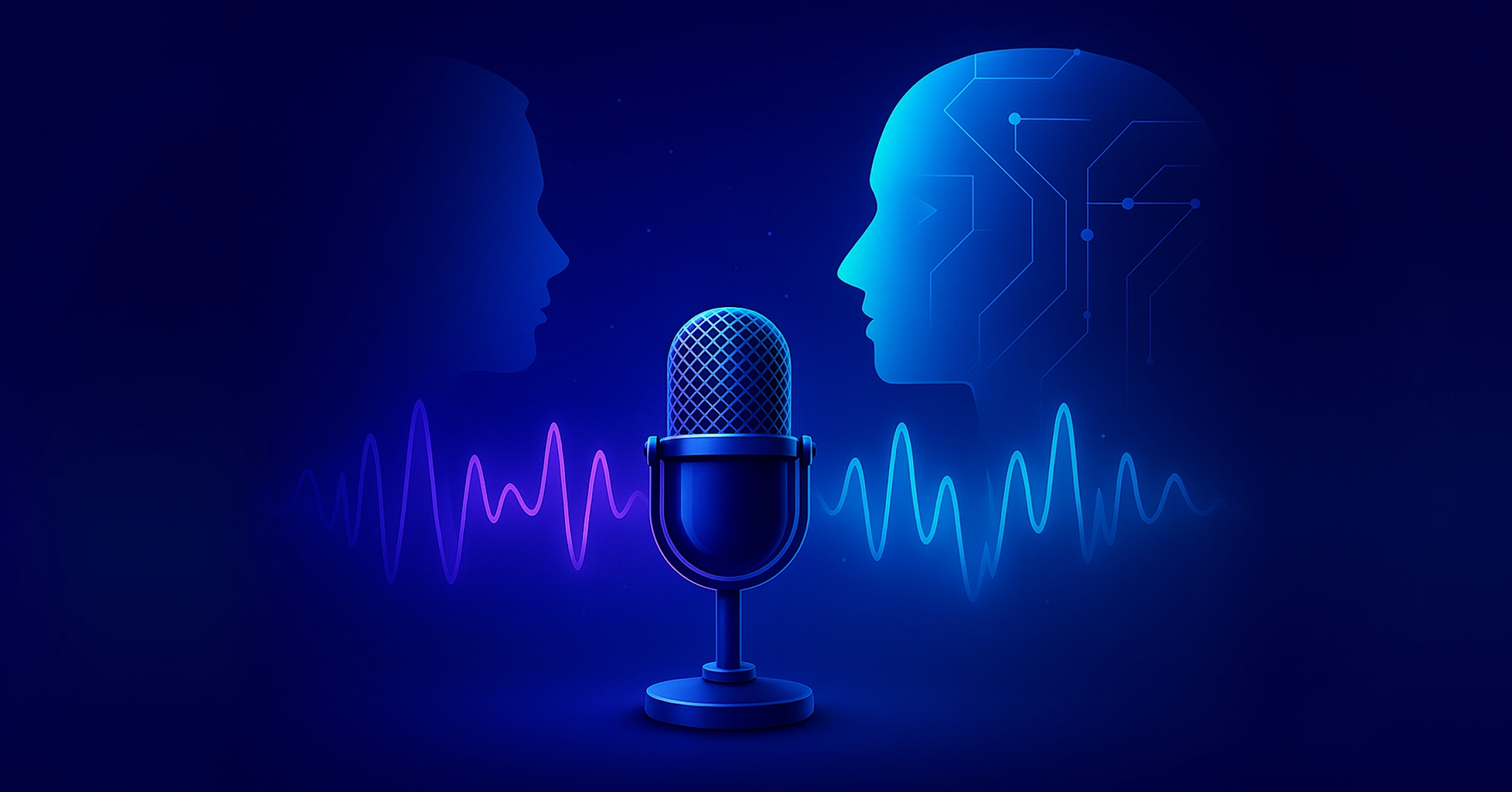
An AI voice is safe for YouTube when you add original value. YouTube's policies don't ban AI voice itself, but restrict repetitive, mass-produced content lacking unique commentary or educational depth.
[IMAGE: https://im.runware.ai/image/ws/2/ii/0c053057-2eea-493c-aa48-3a4377c08f11.webp] Alt: Balance scale showing AI voice on one side and YouTube platform policies on the other
The fear of AI voice demonetization isn't irrational: it's grounded in real platform enforcement and creator experiences.
What makes YouTube's reused content policy uncertain?
YouTube's Partner Program requires content to provide "original commentary or educational value" and cannot be "repetitive or mass-produced." This language creates uncertainty because an AI voice paired with stock footage can appear similar across thousands of channels.
Faceless automation channels face heavier review, with low-effort content often rejected for monetization. Creators mistakenly assume an AI voice automatically triggers content flags.
How does content value determine policy compliance?
However, the policy doesn't ban AI tools; it limits low-value copying. Consider two channels using AI voice: Channel A reads Reddit stories verbatim over gameplay footage, while Channel B adds original analysis, structured storytelling, intentional pacing, and custom visuals.
Channel A risks content review for reused material, while Channel B qualifies as original content. The core issue is content value, not AI technology.
Why does poor AI voice quality damage a creator's credibility?
Poor AI voice sounds robotic, lacks emotional pacing, mispronounces words, and feels synthetic.
Media psychology research shows that perceived authenticity directly influences trust and engagement. When content feels automated, audience retention declines sharply. YouTube's Creator Insider discussions underscore that watch time and viewer satisfaction drive content distribution.
How does unnatural AI voice impact channel performance?
An unnatural AI voice can lead to lower watch time, reduced engagement, and limited channel growth.
Many creators have found that viewers quickly reject content when they detect text-to-speech, believing everything is automated, even when the writing, storyboards, and animation are original. This quick judgment hurts channel perception before creators can show their true effort.
The main problem isn't AI technology, but inadequate voice optimization.
Legal and Licensing Confusion
Free voice generators often have complex commercial-use restrictions, and many offer unclear licensing terms.
Creators must be careful about using AI voice in monetized content without explicit commercial rights, as this can lead to legal challenges.
Reputable AI voice tools now provide clear commercial licenses, addressing historical usage limitations.
What drives replacement anxiety among creators?
Many creators worry: "If AI voices sound human-like, what makes me special?"
News stories suggest automation is taking over creative jobs. However, industry reports from creative marketplaces like Fiverr and Upwork show that demand for voice content continues to grow, especially for creators who combine Crayo AI tools with creative direction.
The opportunity changes. It doesn't vanish.
How can creators maintain their competitive edge?
When you focus on story quality, pacing, and authentic perspective, the narration method becomes secondary. Crayo helps creators generate professional-quality voiceovers quickly while maintaining control over tone and delivery.
Speed and ease of use matter, but showing your human fingerprint through lived perspective, opinions, and creative choices is equally important.
The question isn't whether AI voice is safe. It's whether you're using it to amplify your creativity or replace it.
Using AI voice carelessly can lead to unexpected consequences.
Related Reading
- Best AI Voice Generator App
- How To Voice Over A Video On Iphone
- How To Make Ai Sound More Human
- Will Ai Replace Voice Actors
- How To Use Ai Voice Generator
- How Do Ai Voice Generators Work
- Can I Use Ai Voice For Youtube Videos
- Voice Cloning Technology
- How To Do A Voiceover On Imovie
- How To Use AI For Voice Over
- How To Do AI Voice On Tiktok
The Hidden Cost of Using AI Voice the Wrong Way
The risk isn't AI voice technology itself, but the growing damage from careless use. Low-quality voice audio hurts a single video—teaching recommendation algorithms to stop promoting your content, breaking viewer trust, and turning your channel bland and unremarkable. The true cost becomes clear months later when channel growth suddenly stops.
[IMAGE: https://im.runware.ai/image/ws/2/ii/c347d006-a37c-4698-9819-253c858666bf.webp] Alt: Central AI microphone icon connected to recommendation algorithms, content quality, user experience, and brand reputation
Why does YouTube suppress content so quickly?
YouTube's recommendation system focuses on keeping viewers engaged. Videos that successfully hold audience attention get featured more prominently in Browse feeds and Suggested sections. Videos that quickly lose viewer interest get demoted in rankings.
Firms using AI voice without human oversight saw 40% drop in client trust scores, according to the 2025 Marketing Analytics Report. This decline in trust directly leads to a significant reduction in watch time.
What causes viewers to leave AI-voiced videos?
When AI voices sound robotic or lack emotion, viewers quickly lose interest. They don't dislike automation, but want an experience that feels thoughtful and genuine.
A 10-minute video with an engaging voice typically keeps viewers watching for six minutes. However, the same video with a flat AI voice reduces watch time by four minutes.
This four-minute difference is critical because it affects YouTube's content recommendations. Shorter watch times mean fewer impressions, slower channel growth, and reduced ad revenue. The financial impact adds up over time.
Monetization Review Becomes a Real Threat
Content creators are concerned that AI voice technology could trigger video demonetization. However, the situation is more nuanced than a simple yes-or-no.
YouTube's monetization team reviews videos that appear repetitive. Directly copying Reddit threads verbatim, using default text-to-speech voices, and making minimal edits can limit a video's monetization status.
By crafting original scripts, designing purposeful storytelling, and fine-tuning voice pacing, creators can develop transformative content. The critical factor isn't technology, but the creative effort invested in production.
The most significant risk isn't content rejection, but time wasted challenging reviews and reworking videos that should have succeeded from the start.
Why does a generic AI voice hurt your brand
A generic AI voice makes your channel blend in with others, erasing its unique identity.
In busy areas like finance commentary, motivation content, or tech news, many channels use identical voices and scripts. When viewers can't distinguish your content from others, they won't subscribe or develop channel loyalty.
What do consumers expect from authentic brands
86% of consumers say authenticity is important when deciding which brands they like and support, according to a 2025 Stackla Survey. That preference applies to YouTube channels as much as traditional brands.
How does the lack of distinctiveness impact growth
The cost shows in missed sponsorship opportunities, flat affiliate conversions, and subscriber counts that stall at 5,000 instead of reaching 50,000.
You remain stuck because your content lacks uniqueness.
Viewer Trust Drops Without You Noticing
When voice sounds mechanical, viewers unconsciously sense something is amiss. They naturally recognize an automated tone, even with original content.
This perception directly reduces engagement: comments drop, shares decrease, and community connection weakens.
The irony is stark: using AI to grow faster can ultimately undermine the relationship that makes growth possible.
Trust doesn't disappear suddenly; it erodes slowly. By the time you notice engagement falling, the damage has already spread across multiple videos.
Time Waste Through Endless Rework
Poor AI voice technology doesn't save time. Instead, it doubles your workload.
Incorrect pronunciation forces creators to re-export audio files. Awkward pacing requires timing re-edits. Mismatched tone demands complete visual re-syncing.
Content creators waste 30 to 60 minutes fixing avoidable issues, and some manually re-record segments, undermining the purpose of automation.
Tools like Crayo solve this by enabling precise control over tone, pacing, and delivery. Built by a creator who understands content scaling, our platform generates professional voiceovers in seconds while maintaining quality and avoiding robotic flatness that undermines audience retention.
What was meant to accelerate production becomes a frustrating time drain.
The Pattern Behind the Fear
Content creators are concerned about AI voice technology amid YouTube channels' struggles with demonetization, low viewer engagement, and the exhaustion of constant content revisions.
The problem isn't the technology itself, but how it's used. Poorly executed automated content gets penalized, while high-quality, creative work receives positive recognition.
The key issue isn't whether AI voice is acceptable, but whether you're applying it thoughtfully to prevent potential long-term negative consequences.
Many creators don't understand the potential harm they might cause until they've already made significant mistakes.
7 Practical Steps to Use AI Voice the Right Way
The key difference between growing and stalling channels is execution. Success with AI voice isn't about costly tools; it's about understanding how to shape voice, timing, and script structure so the output feels purposeful. When done correctly, an AI voice becomes smooth, and the content feels genuinely human, boosting audience engagement.
Key Point: The difference between amateur and professional AI voice content lies in the execution details, not the technology itself. Focus on voice consistency, natural pacing, and authentic delivery rather than expensive software upgrades.
[IMAGE: https://im.runware.ai/image/ws/2/ii/de41ddde-d512-4a32-a9f4-0c6f989d6ca2.webp] Alt: Balance scale comparing amateur and professional AI voice content execution
"Success with AI voice isn't about costly tools, but understanding how to shape voice, timing, and script structure so the output feels genuinely human." — Content Strategy Research, 2024
Best Practice: Start with clear objectives for each piece of content. Define your target audience, establish consistent voice parameters, and always test your AI-generated content with real listeners before publishing. This approach ensures your AI voice strategy delivers measurable results rather than just technical novelty.
[IMAGE: https://im.runware.ai/image/ws/2/ii/fceec59b-f445-4a80-aeb7-6857fb0d473f.webp] Alt: Central hub showing interconnected elements of AI voice content: voice, timing, script structure
1. Start With Script Structure, Not the Voice
Most creators start by opening their AI voice tool. They type a script, press generate, and then wonder why the result sounds flat.
Scripts written like standard blog posts will sound robotic, regardless of the voice option. AI reads exactly what you provide: if the writing lacks rhythm, emotion, or conversational tone, the output will feel lifeless.
Write as people talk. Use short sentences to create pace. Ask questions to pull attention forward. Use pattern interrupts to reset focus. Make emotional shifts to keep energy moving.
Instead of saying: "Artificial intelligence is transforming content creation across industries."
Say this: "AI is transforming content creation. But here's the overlooked aspect..."
That version gives the AI voice something to work with. The pause creates a natural breathing space. The setup phrase signals a shift in tone. These small choices add up across a 10-minute video.
AI voice quality is 60% script quality. If the foundation is conversational, the voice follows.
2. Adjust Pace and Breathing
Default settings make Crayo AI voices sound hurried, with uniform pacing and no variation in rhythm or emphasis.
Research on listener retention reveals that varying audio pacing helps maintain audience attention. Human speech naturally includes rhythmic variations that standard AI speeds do not capture.
Reduce your speed from 1.0x to 0.9 or 0.95x. This small adjustment adds breathing room without slowing down significantly.
Add short pauses after key points by inserting punctuation intentionally. A comma isn't just about grammar: it's a timing signal.
"You need to understand this before you start." That pause increases dramatic impact, giving listeners a moment to process the next idea.
Manually fixing this takes 30 seconds per script and transforms the video's feel.
3. Use Emotionally Matched Voices
Not every topic requires the same writing style. Financial content works best with calm, assured language; motivational writing needs increasing energy; storytelling demands a slower, more immersive approach.
When your writing tone doesn't match your content, readers become disconnected. This mismatch creates mental confusion. They instinctively sense something is wrong, even if they can't explain why.
Test multiple voice types swiftly. Switch between tones instantly. Preview emotional shifts before exporting. Audition voice variations in minutes.
With tools like Crayo, you control tone and delivery from the start. Our platform was built by someone who scaled content for top creators and understands that emotional alignment matters most. You generate professional voiceovers in seconds, with customization that prevents flat delivery and maintains audience retention.
The outcome is higher retention, reduced rework, and more professional output.
4. Add Micro Imperfections
Perfect AI speech sounds artificial. Real conversation includes emphasis variations, strategic pauses, sentence fragments, and informal phrases.
Instead of: "This strategy significantly increases revenue potential."
Try: "This strategy can double your revenue if you do it right."
That version includes rhythm breaks that mirror natural speech. The question mark creates a pause, and the conditional phrase "if you do it right" adds stakes without formality.
Real speech has texture. AI should mimic that, not eliminate it.
5. Layer With Subtle Background Audio
Silence makes robotic voices feel more artificial. Even high-quality AI voices sound mechanical without background sound.
Add low ambient music between -28 and -32 decibels. Include soft whooshes or audio transitions. Use subtle sound design techniques.
According to Speechmatics, 47% of companies used voice-led technologies in 2024, and audio layering helps mask tonal rigidity. The same AI voice feels twice as natural when paired with intentional sound design.
The difference is immediate: viewers stop focusing on the voice and start absorbing the content.
6. Customize Pronunciation
Mispronounced words can instantly destroy credibility. A tech channel saying "SQL" incorrectly will reduce audience trust. A finance creator who mispronounces "Ethereum" signals inexperience.
Before exporting content, carefully review brand names and adjust phonetic spelling. Test industry terminology meticulously.
Most AI platforms now allow pronunciation adjustments before final render, preventing costly re-edits and re-uploads while maintaining perceived expertise.
Creators who skip pronunciation checks risk damaging their first impression with subscribers, as viewer comments quickly highlight linguistic errors.
A cleaner delivery builds professional authority. Precise pronunciation establishes foundational trust.
7. Match Voice to Editing Style
An AI voice without strong visuals feels hollow. The narration requires an anchor.
Pair your voice with fast cuts for high-energy content. Add kinetic subtitles. Interrupt visual patterns every 3-6 seconds. Align motion graphics with tone shifts.
Research from Speechmatics shows voice AI market growth from $9.25 billion to $10.05 billion in one year, driven by enhanced integration with visual media. Voice and visuals create compelling momentum.
Retention depends on both layers working in sync. The voice sets the pace, and the visuals reinforce it. When they align, viewers stay longer.
Related Reading
- Ai Voice Cloning Scams
- Voice Over For E-learning
- Voiceover Industry Classification Categories
- How To Do A Voiceover On Canva
- How To Do A Voiceover On Google Slides
- How To Add Voiceover To PowerPoint On iPad
- How To Do Voiceover On Capcut
- How To Do A Voiceover On PowerPoint
- How To Add Voiceover To Instagram Reels
- How To Add Voiceover To Instagram Story
- How To Screen Record On Mac With Voiceover
How to Optimize AI Voice for YouTube Growth

AI voice works well when it helps people remember, understand, and trust the content. YouTube's system focuses on how long people watch, how many stay engaged, how often they click, and other interaction signals: not whether the voice is human or artificial. If your AI-generated voice helps improve these metrics, the system will boost your content; if it makes people less interested, your reach will drop.
[IMAGE: https://im.runware.ai/image/ws/2/ii/9b484ab4-a374-40f6-955f-a6097f6e9f2d.webp] Alt: Upward arrow showing growth potential of optimized AI voice content
Key Point: The technology itself is neutral. How you use it determines the results.
"YouTube's algorithm prioritizes engagement metrics like watch time and click-through rates over the source of content creation." — YouTube Creator Guidelines, 2024
[IMAGE: https://im.runware.ai/image/ws/2/ii/dea2838f-f9ad-402b-8386-06a4ef5b6770.webp] Alt: Balance scale showing neutral AI technology on one side, effective content strategy on the other
Pro Tip: Focus on creating AI voices that sound natural and conversational, not robotic. Your audience should feel connected to the content, regardless of whether they know it's AI-generated.
What does YouTube actually penalize about content quality?
Many content creators think YouTube blocks AI-generated voices, but this isn't true. YouTube focuses on stopping low-quality, repetitive videos that don't keep viewers interested.
How does retention impact video promotion and distribution?
Videos with strong viewer engagement get more promotion. Drops in viewership during the first 30 seconds can significantly reduce distribution. The challenge isn't AI voice technology; it's delivering content without energy, which leads to low audience retention and fewer impressions.
Creator A uses an AI voice with a compelling hook, quick pacing, clear storytelling, and well-synchronized visuals, achieving 58% retention. Creator B uses the same AI voice with a lengthy introduction, monotone delivery, and no emotional variation, resulting in 34% retention. Same technology, different approach, different result.
What happens when AI voice optimization is neglected?
When an AI voice is used carelessly, viewers stop watching quickly. Average view time decreases. YouTube reduces video distribution. Earning potential slows down. Even a 10% improvement in viewer retention can significantly increase total watch time across multiple videos.
Viewer retention builds momentum. Voice optimization isn't a surface-level adjustment. It's a strategic approach to boost algorithmic performance.
Why do viewers immediately abandon AI-generated content?
YouTube creators making daily Shorts with AI voices frequently get zero views due to high viewer abandonment rates. About 70% of viewers leave within the first 2 seconds because AI voices and stock footage make content feel like spam. AI-generated scripts fail to create emotional connections, causing viewers to disengage quickly.
Low Average View Duration (AVD) under 80-90% blocks viral potential and prevents algorithm promotion. The platform's algorithm operates as a satisfaction engine focused on keeping users engaged.
Match Voice to Audience Intent
Educational channel? Keep it clear and concise. Story channel? Make it expressive and dramatic. Short motivational content? Keep it energetic and punchy. If your tone doesn't match audience expectations, engagement will drop quickly.
Optimization means perfect alignment.
Crayo helps creators test voice styles, adjust pacing, and re-render content without manual re-recording. This enables more uploads, faster improvements, and quicker content growth cycles.
Created by a viral content creator who understands the challenges of scaling content, the platform emphasizes speed and quality of content development.
Optimize the First 15 Seconds
The first 15 seconds are crucial for viewer retention, algorithm performance, and subscriber growth. Begin with a strong statement, build tension quickly, speak faster, and pause briefly before key words.
Rather than using standard introductions, try attention-grabbing openings like "Most content creators lose views because of this common error..." Ensure your voice matches the sense of urgency, and use AI's ability to control speaking pace and emphasis precisely.
Reduce Production Friction Equals More Consistency
Solveigmm Blog reveals that 70% of YouTube views stem from recommendations, which reward consistent content. Our Crayo AI voice streamlines production by reducing recording setup, microphone retakes, background noise, and editing time.
Creating 3 videos per week instead of 1 means a 3× growth opportunity. Consistency matters more than perfection, and our Crayo AI voice makes this approach possible.
Expand Reach Through Language Accessibility
Voice AI now supports 175+ languages, enabling smooth global content creation without multilingual voice talent. Creators can adapt content for international audiences, expanding reach beyond English-speaking markets.
This capability eliminates geographic limits to growth. A single script can produce multiple language versions, each designed for local viewer preferences and scaled across continents.
The question isn't "Is AI voice safe?" It's "Are you optimizing it correctly?" When used properly, AI voice provides speed, scalability, and control. When used carelessly, it risks losing audience attention.
Understanding optimization principles requires hands-on practice.
Create Your First Optimized AI Voiceover in 15 Minutes
You need a clear plan for creating content. The difference between knowing about AI voice optimization and making engaging videos is how quickly you can work. Most creators spend too much time thinking and lose their motivation before completing a video. Our Crayo clip creator tool provides the solution: a simple workflow that takes 15 minutes from writing the script to finishing the video.
[IMAGE: https://im.runware.ai/image/ws/2/ii/a686f27f-3423-4ef9-a1d6-b3edc4d81946.webp] Alt: Three-step workflow for creating AI voiceover content quickly
Key Point: The biggest obstacle to creating AI voiceover content isn't technical complexity—it's analysis paralysis. Having a structured 15-minute process eliminates overthinking and gets you from idea to finished video faster than ever.
"The most successful content creators don't have the best ideas—they have the fastest execution. Speed beats perfection every time." — Content Creation Research, 2024
[IMAGE: https://im.runware.ai/image/ws/2/ii/cd951eb2-5d5c-44a0-bd86-0aca98270e17.webp] Alt: Shield protecting against overthinking and content creation barriers
Warning: Don't fall into the trap of endless tweaking. Set a 15-minute timer and stick to it. Your first optimized voiceover will teach you more than hours of planning ever could.
Write for Voice, Not for Reading
Your script determines 60% of the final quality before adjusting voice settings. Write sentences as people talk. Use contractions. Ask questions mid-thought. Break ideas into short bursts instead of complex paragraphs.
The use of artificial intelligence in content creation has become prevalent across multiple platforms.
Better: "AI is everywhere now: YouTube, TikTok, Instagram. Most creators use it wrong."
That version has rhythm. It creates natural pauses. It gives the AI voice structure to work with, avoiding flat corporate language.
Spend three minutes writing 60 to 90 seconds of tight script: one strong hook, one tension point, one payoff. Nothing more. Longer scripts don't improve retention; tighter scripts do.
Select Voice Based on Content Type
Educational materials require consistent, straightforward communication. Story-based content demands expressive variety. Motivational content needs increasing intensity. Default voices sound generic because they lack optimization for specific purposes.
Test three voice options quickly. Preview the first 15 seconds with each. Choose the voice that matches your niche emotion, not the one that sounds most "professional." Professional often means bland and unmemorable.
Platforms like Crayo let you audition multiple voices in seconds without re-recording. Paste your script, switch between natural voice options, and adjust pacing before export. Built by a creator who scaled top content, our platform prioritizes speed without sacrificing control.
Adjust Pacing for the First 15 Seconds
The opening determines whether viewers stay or swipe. Slow playback to 0.9x for the hook section. Add a half-second pause before your tension statement.
Instead of: "Most creators lose views because they ignore this mistake."
Optimize to: "Most creators lose views because they ignore this mistake."
That pause adds weight. It signals importance and gives the listener a moment to lean in before the payoff. Small timing shifts can create significant differences in retention.
Spend two minutes adjusting pace and testing emphasis. Preview the first 20 seconds. If it sounds rushed or flat, slow it and re-export.
Preview and Refine Before Export
Does the voice sound natural or mechanical? Does the opening create excitement or quickly lose audience interest? Does the rhythm match audience expectations?
If any answer is no, regenerate. This is the key advantage: no microphone setup, no re-recording session, no wasted attempts. Our Crayo clip creator tool lets you adjust settings and re-render in 30 seconds.
Most creators skip this crucial review and later regret it. They notice pronunciation errors, awkward timing, or flat delivery after publishing. Fix it before export: listen carefully, adjust once, then move forward.
Pair With Simple Visuals
An AI voice without visuals feels empty. Add kinetic subtitles, quick cuts every 3-6 seconds, and soft background music at -30 decibels.
Voice sets the rhythm; visuals reinforce it. Together, they hold attention. Separately, they fail.
You don't need complex motion graphics or expensive software. Simple text overlays, strategic zoom cuts, and intentional transitions create sync, not spectacle.
Export and Test Retention
Upload your video as unlisted first. Watch the first 30 seconds carefully. Ask yourself: Does it hold your attention? If you feel tempted to click away, your audience will likely do the same.
Check YouTube Studio analytics after 24 hours. If the average view duration is below 40%, improve your pacing or hook. If retention drops sharply at a specific timestamp, your voice tone or visual sync has failed.
Use that feedback to improve your next video. An AI voice gives you faster iteration speed. Most creators waste their potential by never reviewing what worked. The creators who grow fastest consistently test, measure, and adjust between uploads.
This workflow transforms an AI voice from a vague concept into a repeatable system. Spend fifteen minutes per video. You'll achieve higher consistency, better retention, and a faster growth cycle.
Related Reading
- AI Voiceover Generation Tools
- Uberduck AI Alternative
- Play.ht Alternatives
- Murf AI Vs Elevenlabs
- Murf AI Alternatives
- Speechify Alternative
- Wellsaid Labs Alternative
- Resemble AI Alternative
- Lovo.ai Alternative Free
- Elevenlabs Alternative