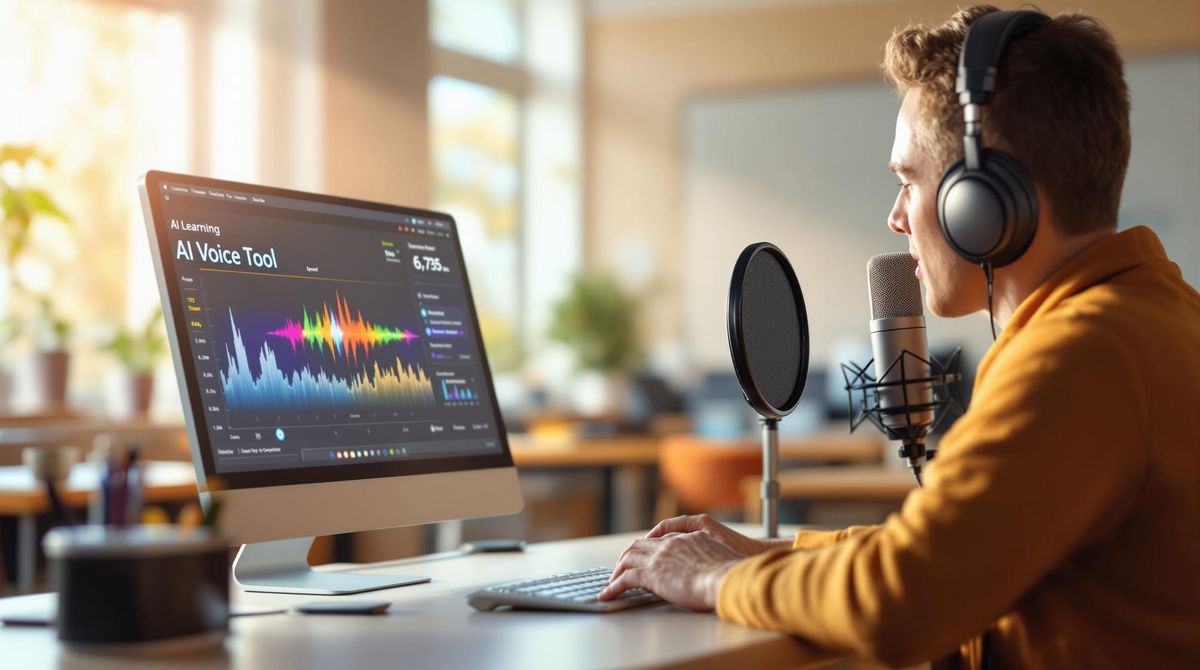
Consider this: you're staring at hours of raw footage, knowing your video needs a professional voiceover, but your budget is tight, and your recording equipment sounds like you're speaking from inside a tin can. Among the many types of video editing skills creators need today, mastering AI voice generation has become essential for producing polished YouTube content without breaking the bank or spending days in a recording booth. This guide walks you through 7 simple steps to use AI voice generators for your YouTube videos in just 15 minutes, transforming text into natural-sounding narration that keeps viewers watching.
The good news? You don't need expensive software or technical expertise to get started. Crayo's clip creator tool streamlines the entire process by letting you generate AI voiceovers directly within your editing workflow, so you can add professional narration to your shorts and videos without juggling multiple platforms or learning complicated audio editing techniques. Whether you're creating educational content, product reviews, or storytelling videos, you'll have studio-quality voice generation at your fingertips.
Summary
- Manual voiceover recording creates hidden production debt that compounds over weeks. A single 8-minute YouTube Short requires multiple takes to address stumbles, background noise, and energy dips, stretching what should be 20 minutes into 90 minutes of work. Over a month, that's 12-15 hours lost to voice work alone, time that could be spent scripting, researching trends, or analyzing what drives views. The real cost isn't the recording itself, but the momentum creators lose when production feels too heavy to maintain consistent uploads.
- Most creators blame AI voice technology when the actual problem is skipping the setup phase. Feeding raw text with no punctuation, pacing cues, or emotional markers into a generator set to default speed produces robotic output that kills retention. Adding commas for natural pauses, adjusting speed by 10%, and breaking long sentences into shorter phrases transforms mechanical delivery into conversational narration. The technology works when treated as a formatting skill rather than a copy-paste solution.
- Inconsistent voiceover delivery weakens brand recognition and reduces return viewership. When creators manually record some videos, randomly use AI on others, and shift tone across uploads, viewers lose the channel's overall tone. Consistency matters more than perfection: a slightly imperfect AI voice used across 20 videos creates stronger brand recognition than manually recorded audio that varies widely in energy, pacing, and background quality.
- YouTube's algorithm heavily tracks audience retention in the first 30 seconds, and flat AI pacing creates background noise content rather than lean-in moments. According to YouTube Statistics 2025, 70% of YouTube watch time comes from mobile devices, where viewers scroll fast and abandon videos within seconds if pacing feels off. Dynamic pacing with slightly faster delivery for informational content, slowdowns during important moments, and micro-pauses after key statements keeps mobile viewers engaged past the critical first 30 seconds.
- Work perceived as AI-assisted receives a 9% lower competence rating even when quality remains identical, according to research from Harvard Business Review involving 1,026 engineers. That bias extends to voice delivery, where a flat, mechanical tone signals automation, carelessness, or rushed production, even when the script is excellent. Two channels uploading similar content can see vastly different retention when one uses clear pacing and natural emphasis, while the other relies on flat AI default voice with no pauses.
- Modern AI voice platforms now support 175+ languages, allowing creators targeting international audiences to maintain consistent vocal branding across multiple markets without hiring separate voice talent for each region. This consistency matters when building global channel recognition, as audiences develop subconscious comfort with familiar delivery that drives them to click the next upload. Channels that eliminate voiceover as a production bottleneck report cutting voiceover time from 60 minutes per video to under 10 minutes, which directly impacts upload frequency and algorithmic momentum.
- Crayo's clip creator tool addresses this by integrating AI voiceover generation directly into the editing workflow, allowing creators to paste scripts, adjust tone and speed, and export platform-ready audio without context switching between recording software, audio cleanup tools, and timeline editors.
Why Most YouTube Creators Struggle With Voiceovers

YouTube creators struggle with voiceovers because they're caught between two flawed approaches: manual recording that eats production time, or poorly configured AI voices that sound lifeless. Both paths quietly erode upload consistency, viewer retention, and channel growth. The friction isn't about talent or equipment. It's about workflow design.
Manual Recording Creates Invisible Production Debt
Recording your own voice feels like the authentic choice.
You control tone. You own the delivery. You sound like yourself.
But that authenticity comes with hidden costs that compound over weeks.
A single 8-minute YouTube short requires multiple takes. You stumble on a word. Background noise bleeds through. Your energy dips halfway in. You re-record the entire section. Then you edit out breaths, clicks, and awkward pauses. What should take 20 minutes stretches to 90 minutes.
According to YouTube Statistics 2025, 70% of YouTube watch time comes from mobile devices, where viewers scroll fast and abandon videos within seconds if pacing feels off. Manual recording often produces uneven energy because you're tired by take three, rushed on take five, or distracted during the final pass. That inconsistency registers with viewers, even if they can't articulate why.
Over a month, that's 12-15 hours lost to voice work alone. Time you could spend scripting, researching trends, or analyzing what's actually driving views.
The real cost isn't the recording. It's the momentum you lose when production feels heavy.
AI Voices Get Blamed for User Error
Many creators try an AI voice generator once, paste in raw text, hit generate, and immediately conclude the tool doesn't work.
That's understandable.
If you feed a script with no punctuation, no pacing cues, and no emotional markers into a generator set to default speed, the output will sound robotic. Flat delivery kills retention because viewers interpret monotone as low effort, even when the information is solid.
The mistake isn't using AI voices. It's treating them like a copy-paste solution instead of a tool that requires light formatting. Adding commas for natural pauses, adjusting the speed by 10%, and breaking long sentences into shorter phrases transform the output from mechanical to conversational.
Most creators never get past the first failed attempt. They assume the technology isn't ready when the real issue is that they skipped the setup phase.
Inconsistent Delivery Weakens Brand Recognition
Your voice is part of your brand signature.
When you record some days manually, use AI on others at random, and shift tone from video to video, viewers lose the thread. They can't pin down what your channel feels like. That instability reduces return viewership because familiarity builds trust, which in turn drives subscriptions.
Consistency matters more than perfection. A slightly imperfect AI voice used across 20 videos creates stronger brand recognition than manually recorded audio that varies wildly in energy, pacing, and background quality.
The algorithm rewards channels that keep viewers watching multiple videos in a session. If your voiceover style shifts constantly, viewers don't develop the subconscious comfort that makes them click your next upload.
The Real Bottleneck Isn't What You Think
Most creators believe their growth problem is editing skills, thumbnail design, or topic selection.
Those matters.
But when your voiceover lacks clarity, rushes through key points, or delivers information with uneven pacing, watch time drops regardless of how strong your visuals are. Viewers tolerate average thumbnails if the content hooks them in the first 15 seconds. They don't tolerate confusing or lifeless delivery.
The bottleneck is often voice workflow, not creative talent. When voiceover becomes a friction point, upload frequency drops. When upload frequency drops, the algorithm deprioritizes your channel. Growth stalls not because your ideas are weak, but because production feels too slow to sustain momentum.
Platforms like Crayo's clip creator tool address this by integrating AI voiceover generation directly into the editing workflow. Instead of juggling separate recording sessions, audio cleanup, and timeline syncing, creators can generate narration within the same interface they use to build the video. That eliminates context-switching costs and keeps production moving. Channels using this approach report cutting voiceover time from 60 minutes per video to under 10, which directly impacts how many videos they can publish per week.
Two Creators, Same Script, Different Outcomes
Consider two creators uploading tutorials on the same topic.
Creator A records manually. Takes three attempts. Slight background hum. Energy peaks early, fades toward the end. Pacing feels rushed in some sections and slow in others.
Creator B uses an AI voice generator with script formatting. Adjusts speed to 1.1x. Adds pauses before key points. Cleans the script for natural rhythm.
Both are published on the same day.
Creator B's video holds viewers 20 seconds longer on average. Not because the information is better, but because the delivery is smoother. That 20-second difference signals to the algorithm that the video deserves broader distribution.
The gap isn't talent. It's workflow design.
Voiceover Affects More Than Audio Quality
Voiceover impacts retention, perceived authority, production speed, and upload consistency.
When voice becomes a bottleneck, everything downstream suffers. You upload less frequently. Your channel loses algorithmic momentum. Viewers forget you exist between uploads.
Learning to use AI voice generators strategically isn't about replacing authenticity. It's about removing friction so you can focus energy on the creative decisions that actually differentiate your content: scripting, pacing, and trend analysis.
The creators scaling to consistent viral performance aren't necessarily more talented. They've just eliminated the production friction that keeps most channels stuck at two uploads per month.
But using AI voices incorrectly creates a different problem entirely, one that's harder to spot and more expensive to fix.
Related Reading
- Best AI Voice Generator App
- How To Voice Over A Video On Iphone
- Is Voice Ai Safe
- How To Make Ai Sound More Human
- Will Ai Replace Voice Actors
- How Do Ai Voice Generators Work
- Can I Use Ai Voice For Youtube Videos
- Voice Cloning Technology
- How To Do A Voiceover On Imovie
- How To Use AI For Voice Over
- How To Do AI Voice On Tiktok
The Hidden Cost of Using AI Voices the Wrong Way
Using AI voice generators without understanding pacing, tone control, and script formatting doesn't just make your videos sound robotic. It quietly reduces watch time, weakens perceived authority, and slows channel growth. Let's unpack what that really costs you.
Lower Watch Time Compounds Into Suppressed Reach
Many creators assume good content compensates for flat delivery.
That belief feels logical. After all, people care about value, right?
But YouTube's algorithm weighs audience retention and watch time as primary ranking signals. If viewers drop off early, especially within the first 30 to 60 seconds, your video gets deprioritized in recommendations. A robotic delivery often triggers early exits because viewers subconsciously interpret monotone pacing as low effort or inexperience.
Even a small retention drop compounds across thousands of views. If a six-minute video loses 30 seconds of average watch time across 5,000 views, that's 2,500 total minutes of engagement lost. The algorithm registers that pattern. Your video gets less distribution. Fewer impressions. Slower growth.
The cost isn't bad for audio quality. The cost is invisible reach suppression that keeps your channel small longer than necessary.
Perceived Authority Drops Before You Say Anything Substantive
People judge credibility from voice tone before processing your words.
Research from Harvard Business Review involving 1,026 engineers found that work perceived as AI-assisted received a 9% lower competence rating, even when quality remained identical. That bias extends to voice delivery. A flat, mechanical tone signals automation, carelessness, inexperience, or rushed production, even when your script is excellent.
Two finance explainer channels upload similar content. Channel A uses clear pacing, natural emphasis, and confident tonal shifts. Channel B uses the same script with a flat AI default voice and no pauses. Channel A sounds authoritative. Channel B sounds generic. Viewers don't consciously think "this voice is robotic." They simply click away sooner.
Tone shapes trust faster than information shapes understanding.
Editing Time Increases When Setup Gets Skipped
The belief that AIan voice equals an instant solution is understandable but incomplete.
When creators produce voiceovers poorly, they end up re-exporting multiple versions, repeatedly adjusting speed, manually cutting out awkward pauses, and re-recording segments. Instead of saving time, they extend production. The tool isn't the issue. The setup is.
Industry surveys in creator economy reports consistently show that editing already consumes the largest share of production time. When voice requires extra fixing, it increases friction rather than removing it. You're not automating. You're just shifting the bottleneck from recording to post-production cleanup.
That's not efficiency. That's trading one slow process for another.
Inconsistent Emotional Tone Erodes Brand Recognition
AI voices, by default, lack emotional contour.
Without intentional emphasis markers, sentence restructuring, strategic pauses, and speed variation, your voiceover becomes monotone. Monotone delivery reduces emotional engagement because viewers never experience the pacing shifts that signal excitement in hooks, calm in tutorials, or urgency in calls to action.
YouTube growth often depends on emotional pacing. If your tone never shifts, your audience engagement never spikes. Viewers don't develop the subconscious comfort that makes them click your next upload. They scroll past because your channel doesn't feel distinct.
Consistency matters more than perfection. A slightly imperfect AI voice used across 20 videos creates stronger brand recognition than manually recorded audio that varies wildly in energy and background quality.
Why People Believe AI Voices Don't Work
It's reasonable to think AI voices are inferior.
Early text-to-speech systems sounded unnatural. Many creators tried them years ago and formed that impression. That belief is valid, historically. But modern AI voice systems allow tone adjustment, speed control, emphasis shaping, and multiple voice personalities.
The issue is not capability. Its application.
Platforms like Crayo's clip creator tool address this by integrating AI voiceover generation directly into the editing workflow. Instead of juggling separate recording sessions, audio cleanup, and timeline syncing, creators can generate narration within the same interface they use to build the video. That removes context switching and keeps production moving. Channels using this approach report cutting voiceover time from 60 minutes per video to under 10, which directly impacts how many videos they can publish per week.
The Real Cost Summary
When AI voices are used incorrectly, you lose retention minutes, perceived authority, algorithmic push, production efficiency, and brand consistency.
Over 10 to 20 uploads, which compounds into slower channel growth. The hidden cost isn't sounding robotic. It's staying small longer than necessary while competitors who understand voice workflow design scale past you.
The gap isn't talent. It's important to understand that AI voice generation is a formatting skill, not a copy-and-paste shortcut.
But knowing what goes wrong only matters if you know how to fix it, and that's simpler than most creators realize.
7 Practical Steps to Generate Natural AI Voiceovers

To generate natural AI voiceovers, control three things deliberately: script structure, voice settings, and delivery tuning. Follow the seven steps below in order, and you can produce a human-sounding voiceover in under 15 minutes, even as a beginner. This is not a theory. This is execution.
1. Start With a "Spoken-First" Script
Rewrite your script so it sounds like someone talking, not writing.
Shorten long sentences. Break complex ideas into one or two lines. Remove academic phrasing that belongs in essays, not conversations.
Instead of: "Artificial intelligence tools are increasingly being adopted across multiple sectors due to operational efficiency improvements."
Say: "AI tools are everywhere right now. And they're changing how businesses work."
The outcome is immediate conversational tone, better pacing, and higher listener retention. Most robotic voice-overs start with robotic scripts. Fix the input before touching any voice settings.
2. Insert Pauses Intentionally
Add line breaks and punctuation to guide breathing.
Use commas, periods, and spacing strategically. Without pauses, AI voices rush and flatten emotion. The rhythm collapses into a wall of sound.
Example:
"This mistake
is costing you views."
That pause creates emphasis. It signals importance. It lets the listener process before the next idea arrives.
Natural rhythm isn't automatic. You have to design it into the script structure.
3. Choose the Right Voice Style for Your Content
Match voice tone to your niche.
For YouTube educational content, use calm, confident delivery with a slightly slower pace. For TikTok or short-form content, choose an energetic, punchy delivery with a faster pace.
Using the wrong tone is one of the fastest ways to lose viewers. A finance explainer needs authority. A meme commentary needs energy. The same voice at the same speed doesn't work across formats.
Brand alignment matters more than sounding "perfect." Consistency builds recognition. Viewers return to channels that feel familiar.
4. Adjust Speed Slightly (Micro-Tuning)
Adjust playback speed by 5-10%.
If the default is 1.0x, test 0.95x for authority or 1.05x for energy. Even small changes in speed significantly affect perceived humanness. A 10 percent adjustment shifts cadence enough to feel natural without sounding rushed or sluggish.
Faster pacing works for entertainment. Slower pacing works for technical explanations. The right speed depends on content density and audience expectations.
5. Emphasize Key Words
Control vocal stress by rephrasing for emphasis instead of relying on flat text.
Instead of: "You need better hooks."
Say: "You need better hooks. Not longer videos."
Humans stress key words automatically. AI needs direction. That direction comes from sentence structure, not voice settings. Break ideas into shorter units. Place the most important word at the end of the sentence. Let punctuation create natural emphasis.
Stronger persuasion occurs when key ideas carry weight, not when everything sounds equally important.
6. Generate in Sections (Not All at Once)
Export 20 to 30 second chunks instead of full scripts.
Test small segments. Adjust. Then continue.
Creators waste 40 to 60 minutes re-exporting entire voiceovers because of a single mistake when generating them all at once. That's avoidable friction. When you generate in sections, you catch issues early. You refine as you go. The final result requires less rework.
Faster refinement means cleaner output. Cleaner output means less editing stress.
7. Use a Creator-Optimized AI Voice Tool
Use a tool designed specifically for content creators, not generic text-to-speech software.
Generic TTS software requires extensive post-editing and produces robotic output because it's built for accessibility, not video production. Creator-focused tools integrate voice generation directly into the editing workflow, removing context switching.
For example, with Crayo's clip creator tool, you paste your script, choose a voice suited to your niche, adjust speed and tone, and export optimized audio for YouTube or social media. Instead of spending time tweaking robotic outputs and editing heavily afterward, you generate cleaner, platform-ready voiceovers from the start. Channels using this approach report cutting voiceover time from 60 minutes per video to under 10, which directly impacts upload frequency and algorithmic momentum.
The difference isn't AI versus human. It's a basic setup versus an optimized workflow.
What This Looks Like in Practice
Before: Script sounds like an essay. No pauses. Flat tone. Multiple re-exports. One to two hours wasted tweaking.
After applying these seven steps: Conversational script. Natural breathing rhythm. Proper pacing. Minimal editing needed. Voiceover completed in under 15 minutes.
The gap isn't talent or expensive tools. It's important to understand that AI voice generation is a formatting skill. You control the outcome by controlling the input.
Save 30-60 minutes per video. Reduce editing stress. Improve watch time. Sounds more professional instantly.
But generating natural voiceovers is only half the equation when your goal is channel growth.
Related Reading
- Ai Voice Cloning Scams
- Voice Over For E-learning
- Voiceover Industry Classification Categories
- How To Do A Voiceover On Canva
- How To Do A Voiceover On Google Slides
- How To Add Voiceover To PowerPoint On iPad
- How To Do Voiceover On Capcut
- How To Do A Voiceover On PowerPoint
- How To Add Voiceover To Instagram Reels
- How To Add Voiceover To Instagram Story
- How To Screen Record On Mac With Voiceover
How to Optimize AI Voice for YouTube Growth
If your AI voice isn't optimized for YouTube, it will silently hurt your retention, click-through rate, and watch time. Optimizing AI voice means aligning tone, pacing, structure, and emotional delivery with how YouTube's algorithm rewards viewer behavior, particularly within the first 30 seconds and the average view duration. This is not about "sounding human." It's about sounding engaging enough to keep people watching.
Optimize the First 15 Seconds for Retention
YouTube places heavy emphasis on audience retention within the first 30 seconds. If viewers leave early, the algorithm reduces distribution. Your AI voice must deliver a strong hook immediately, no long intro, no slow buildup.
Start with a bold outcome. Ask a sharp question. Present a surprising fact. Avoid "Hey guys welcome back…"
Instead of: "Welcome back to the channel, today we are going to talk about…"
Say: "This mistake is killing your YouTube growth, and you probably don't even know it."
Two identical videos. Same visuals. Same topic. One starts slow and holds 45% retention at 30 seconds. One starts with urgency and holds 72% retention at 30 seconds. The only difference? Voice delivery and opening pacing.
Control Pacing to Match Attention Span
Flat AI pacing creates "background noise" content. Dynamic pacing creates "lean in" moments.
Adjust speed and rhythm to prevent monotony. Use slightly faster pacing for informational content. Slow down during important moments. Insert micro-pauses after key statements.
According to YouTube Statistics 2025, 70% of YouTube's watch time comes from mobile devices, where viewers scroll fast and abandon videos within seconds if pacing feels off. Mobile viewers judge content quality instantly. If your voice delivery sounds repetitive or slow, they swipe away before you reach your first value point.
Even if your content is valuable, viewers will click away because the delivery feels mechanical. YouTube analytics consistently show drop-offs when videos feel repetitive or slow during delivery, especially in educational content.
Add Emotional Variation (Without Overdoing It)
Select AI voices with subtle tonal variation, not robotic monotone, and not exaggerated theatrical voices. Choose neutral conversational voices. Avoid overly dramatic presets. Adjust pitch slightly if available.
Many assume: "As long as the script is good, the voice doesn't matter."
But voice delivery affects perceived authority and trust. Research in communication psychology shows that vocal tone strongly influences perceptions of credibility, even when the content is identical. If the voice sounds flat, people subconsciously trust it less.
Match Voice Style to Content Type
Different YouTube formats require different vocal energy. Using the wrong tone confuses audience expectations, and confused viewers click away.
Educational or explainer content needs calm, controlled, confident delivery. Short-form content, including Reels, needs faster, more energetic, high-urgency pacing. Storytelling requires subtle emotional shifts and pauses to build tension.
A finance tutorial with TikTok energy feels chaotic. A comedy commentary with lecture-hall pacing feels lifeless. The mismatch registers faster than the actual information.
Structure Script for Audio Clarity
AI voices perform better when fed a clean, conversational structure. Rewrite your script for spoken clarity.
One idea per sentence. Short paragraphs. Clear transitions. Remove filler words.
Instead of: "Today we will be discussing several factors that may contribute to…"
Say: "Here's what's actually happening. And why it matters."
Dense sentences with nested clauses force AI voices into unnatural rhythm patterns. Breaking ideas into shorter units gives the voice breathing room and creates natural emphasis points.
Avoid Overprocessing Audio
Many creators over-edit AI voices with heavy EQ, reverb, or compression. Overprocessing makes AI sound synthetic. Clean audio sounds more human.
Keep audio clean. Add light compression. Avoid artificial radio-style effects.
When you layer too many effects to "fix" robotic delivery, you amplify the mechanical qualities rather than masking them. The solution isn't more processing. It's better input formatting.
Use a Voice Tool Built for Creators
Generic text-to-speech tools often lack tone flexibility, produce unnatural breathing, and sound rigid. Creator-focused tools like Crayo's clip creator tool let you adjust tone and pacing easily, generate YouTube-optimized voiceovers, and export platform-ready audio. Instead of spending 45 minutes tweaking robotic exports, you generate cleaner, engaging audio upfront, which directly impacts retention and watch time. Tools built specifically for viral video workflows recognize that voice is one piece of a larger system: hooks, subtitles, pacing, and visual rhythm must all align.
According to TrueFan.ai, modern AI voice platforms now support 175+ languages, enabling creators targeting international audiences to maintain consistent vocal branding across multiple markets without hiring separate voice talent for each region. That consistency matters when building global channel recognition.
But knowing how to optimize AI voice settings only matters if you can execute the setup quickly without derailing your production momentum.
Create Your First YouTube Voiceover in 15 Minutes
The fastest way forward when recording takes too long and delivery lacks consistency, isn't more effort. It's a cleaner system. You can generate a polished, YouTube-ready voiceover in under 15 minutes by focusing on three things: tight script structure, optimized voice settings, and strategic output formatting. This isn't about cutting corners. It's about removing the friction in production that keeps most creators uploading twice a month instead of twice a week.
Write a 60-Second Script in Under Five Minutes
Pick one problem, one solution, one clear takeaway. That's it.
Structure it like this: Hook (10 seconds). Main value (40 seconds). Call to action (10 seconds). Keep sentences short. Write how you speak, not how you write essays. Avoid long paragraphs that look fine on paper but sound awkward when read aloud.
If you normally spend 30 to 60 minutes rewriting scripts to "sound right," this structure cuts that friction immediately. The tighter your script, the less cleanup you need later.
Generate Clean Audio Without Touching a Microphone
Instead of recording multiple takes, fighting background noise, re-recording mispronunciations, and editing awkward pauses, paste your script into an AI voice tool built for creators. Choose a natural conversational voice. Set medium pacing. Add subtle emphasis by breaking long sentences into shorter phrases.
Generate once. Listen once. Adjust tone slightly if needed. Generate again.
You now have a clean, professional voiceover without the recording anxiety. That alone removes 30 to 90 minutes from your workflow. When you can generate optimized audio this quickly, production becomes assembly instead of repair. Platforms like Crayo let you handle voiceover generation, subtitle timing, and visual editing in one interface, which means you're not context-switching between recording software, audio cleanup tools, and your timeline. Channels using this approach publish three to four times more frequently because voiceover is no longer the bottleneck.
Test First-30-Second Retention Before Exporting
Before finalizing, ask three questions. Does the hook sound urgent? Are there micro-pauses after important lines? Is the pacing slightly faster than normal conversation?
Small tweaks here increase first-30-second retention, which directly affects how YouTube distributes your video. Instead of fixing robotic pacing in post-production, you optimize it at the source. That saves another 10 to 20 minutes per video.
Your next action is simple. Open a blank script. Write a 60-second topic you've been postponing. Generate your first optimized voiceover today. You don't need better equipment. You need a system that removes friction so you can focus energy on the creative decisions that actually grow your channel.
Related Reading
- AI Voiceover Generation Tools
- Uberduck AI Alternative
- Play.ht Alternatives
- Murf AI Vs Elevenlabs
- Murf AI Alternatives
- Speechify Alternative
- Wellsaid Labs Alternative
- Resemble AI Alternative
- Lovo.ai Alternative Free
- Elevenlabs Alternative