You've captured that perfect moment on camera, but now you're staring at hours of raw footage wondering how to turn it into a polished YouTube video. The difference between a video that gets clicks and one that gets ignored often comes down to editing, and understanding the various types of video editing can transform your vlogging workflow from overwhelming to manageable. This article reveals the 7 best blogging editors that will help you create compelling YouTube videos in just 2 hours, saving you time while elevating your content quality.
If speed is a priority and you want to skip the learning curve entirely, Crayo's clip creator tool offers an alternative path to producing engaging content quickly. This platform handles the technical heavy lifting for you, letting you focus on your message rather than wrestling with timeline tracks, color grading panels, or audio sync issues that typically slow down new vloggers.
Summary
- Editing a single video can take an entire day for most vloggers because their workflow lacks structure, not because they lack skill. Research from Gling.ai's 2025 blog shows that 80% of editing time is spent on repetitive tasks such as typing captions, syncing audio, and manually trimming silence.
- YouTube's algorithm penalizes inconsistent upload schedules with measurably lower reach. According to YouTube Creator Academy research from 2024, channels that maintain consistent weekly uploads receive 3x more impressions from the recommendation algorithm than sporadically publishing channels.
- Viral trends operate on 72-hour windows that close while slow editors are still rendering. Google Trends data from 2024 reveals that 78% of search interest around viral topics concentrates within the first three days, after which engagement drops sharply.
- Brand partnerships require upload predictability that slow editing makes impossible to maintain. Influencer Marketing Hub's 2024 study found that 82% of companies prioritize consistent posting schedules over production quality when selecting creators for long-term sponsorships, because campaign performance depends on sustained audience attention rather than occasional viral hits.
- AI-powered editors compress multi-hour workflows into 90-minute sessions by automating the tasks that consume most editing time. According to Colossyan's 2026 analysis, these tools can cut editing time in half by handling silence removal, caption generation, and multi-format export simultaneously, eliminating the app-switching and manual adjustments that fragment traditional workflows and slow momentum.
Crayo's clip creator tool addresses this by consolidating trimming, captioning, and cross-platform formatting into a single automated workflow that keeps creators within trend windows rather than watching them close from the editing bay.
Why Most Vloggers Take All Day to Edit One Video
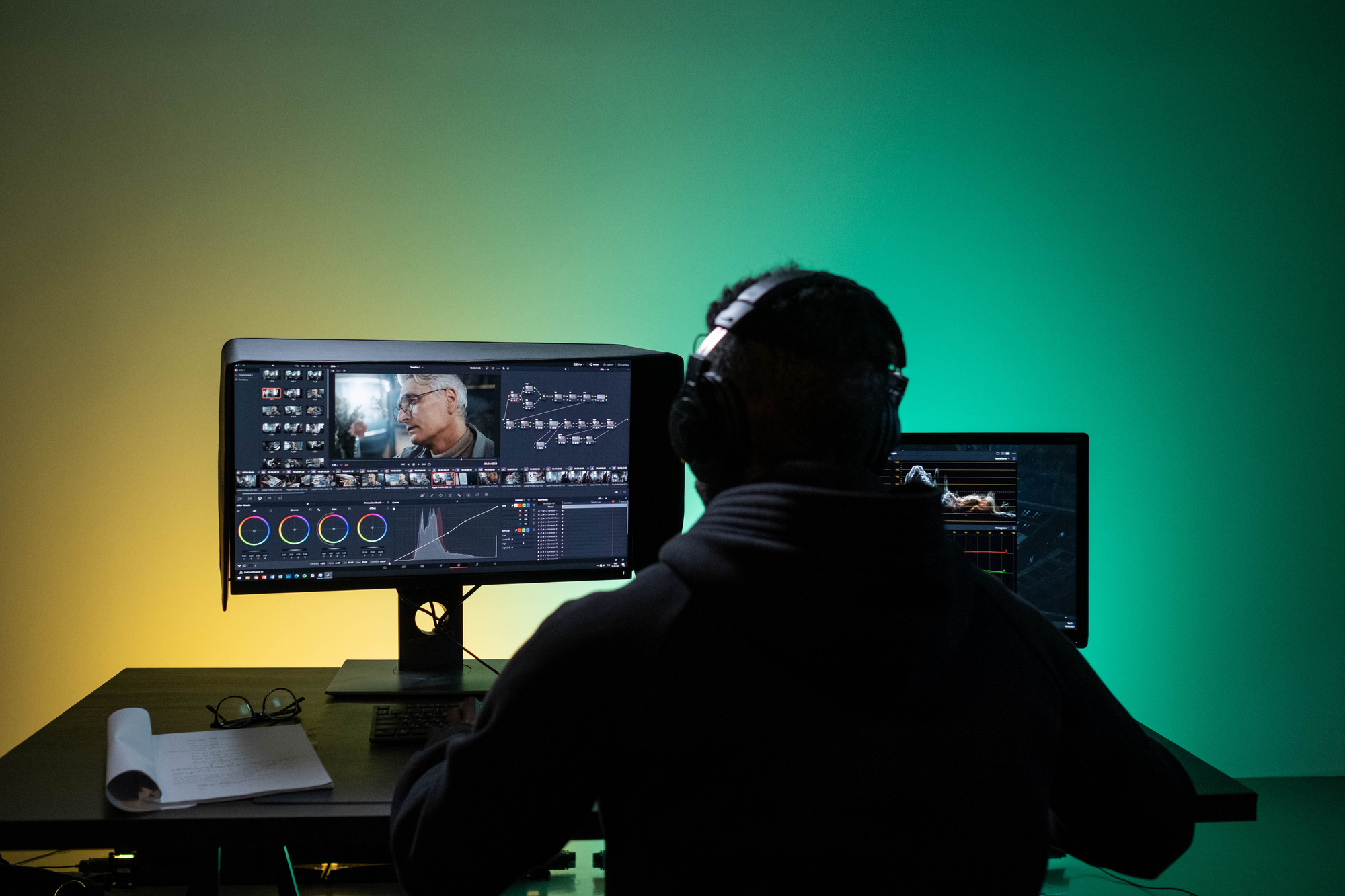
Most vloggers spend all day editing a single video because they use complex tools without a clear system, rely on trial and error, and waste time on tasks that should be automated. It's rarely because they are "slow." It's because their workflow is broken.
For many creators, recording a vlog takes one hour, but editing takes six. And that imbalance quietly kills consistency.
Too Many Features, Not Enough Guidance
Most popular video editing software is built for professionals. These platforms come loaded with hundreds of buttons, multiple timelines, advanced color tools, complex export settings, and dozens of effects. New vloggers open the app and feel lost.
Stop Struggling, Start Creating
You keep clicking around, hoping something works. You watch tutorials. You pause. You rewind. You try again. Editing becomes stressful instead of creative. Simple tasks take three times longer than necessary because the interface isn't designed for users who just want to cut, caption, and publish.
No Clear Editing Workflow
Many vloggers start editing like this: import clips, cut randomly, add music later, fix mistakes at the end, and re-export multiple times. There is no structure. Every video is improvised.
You constantly restart. You think, "Let me just fix this first." Then, "Wait, this part is wrong." Then, "I should change the intro."
One video becomes endless revisions when you make decisions in real time rather than following a repeatable system. You're not editing poorly. You're editing without a map.
Manual Work That Should Be Automated
Most beginners still do things manually: typing captions, syncing music by hand, trimming silences manually, resizing for YouTube and Shorts, and adding text frame by frame. They don't know that faster options exist.
Reclaiming the Creative Flow
According to 2025 industry research, approximately 80% of the editing process is spent on repetitive manual tasks. This data suggests that the vast majority of a creator's day is spent on labor-intensive workflows that modern software could complete in mere minutes. Consequently, video editing often transforms from a creative endeavor into exhausting, factory-like repetition that drains both time and momentum.
You waste hours on tasks that don't require creative judgment. The irony is brutal. You became a creator to make content, not to manually sync audio tracks or type out every word you said on camera.
Fear of "Messing Up" the Video
Many vloggers are scared to experiment. They think, "If I press the wrong thing, I'll ruin everything." So they move slowly. They double-check every step. They hesitate before exporting. Editing feels risky. You're tense the whole time. Your speed drops because your confidence is low.
This fear isn't irrational. Most editing software doesn't offer clear undo paths or forgiving interfaces. One wrong click can delete a sequence or corrupt a project file. So you tiptoe through the process, which turns a two-hour edit into a six-hour ordeal.
Switching Between Too Many Tools
Some creators use one app for cutting, another for captions, another for thumbnails, another for music, another for resizing. Each switch costs time. You feel busy, but not productive. You're working, but nothing is finishing. Your workflow becomes fragmented and slow.
Every time you export from one tool and import into another, you lose momentum. You also lose quality. Files get compressed, audio drifts out of sync, and you spend another 20 minutes troubleshooting instead of creating.
Platforms like Crayo's clip creator tool consolidate these steps into a single interface, handling subtitles, voiceovers, and formatting automatically so you're not juggling five different apps just to publish one video.
Trying to Edit Like Big YouTubers Too Early
Many beginners copy professional creators. They try to add complex transitions, heavy effects, cinematic color grading, and fancy animations before mastering the basics. You spend hours polishing details no one notices. You over-edit and delay publishing.
The truth is, most successful vloggers didn't start with Hollywood-level production. They started with clean cuts, clear audio, and consistent uploads. Complexity came later, after they built an audience. You're trying to skip steps that matter.
Why This Feels "Normal" to Most Vloggers
Most vloggers quietly believe editing is supposed to take forever. They see behind-the-scenes videos of creators working late. They hear influencers talk about "editing all night." So they assume slow editing means they're doing it right. And in a way, that belief makes sense. Video editing is technical. Quality matters. Mistakes are public. So being slow feels safer.
But slow editing is not a requirement for good content. It's a sign of inefficient systems. You're not protecting quality by spending the entire day on a single video. You're protecting yourself from the discomfort of learning a better way.
The Real Problem Isn't Talent, It's Process
If you can record a decent vlog, tell a story, and speak clearly, you already have enough skill. What you lack is a fast workflow, the right editor, automation tools, and a repeatable system. That's what makes the difference between uploading once a month and posting twice a week. Your creative ability isn't the bottleneck. Your process is.
Mastering the Long-Form Advantage
Industry research from 2024 indicates that videos successfully ranking on the first page of YouTube maintain an average duration of 14 minutes and 50 seconds. This benchmark suggests that the platform's algorithm favors comprehensive, long-form content that maximizes viewer engagement and watch time.
This means your competitors are publishing longer, more consistent content. If you're spending all day editing shorter videos, you're falling behind, not because you're less talented, but because your system can't keep up.
Related Reading
- Types of Video Editing
- Long Does It Take to Edit a YouTube Video
- How Long Does It Take to Edit a Music Video
- What Is an Overlay in Video Editing
- Is CPU or GPU More Important for Video Editing
- Can I Edit a YouTube Video After Posting
- Is Video Editing a Good Career
- Beginner’s Guide to Video Editing
- Video Editing Basics
The Hidden Cost of Slow Editing on Your YouTube Growth
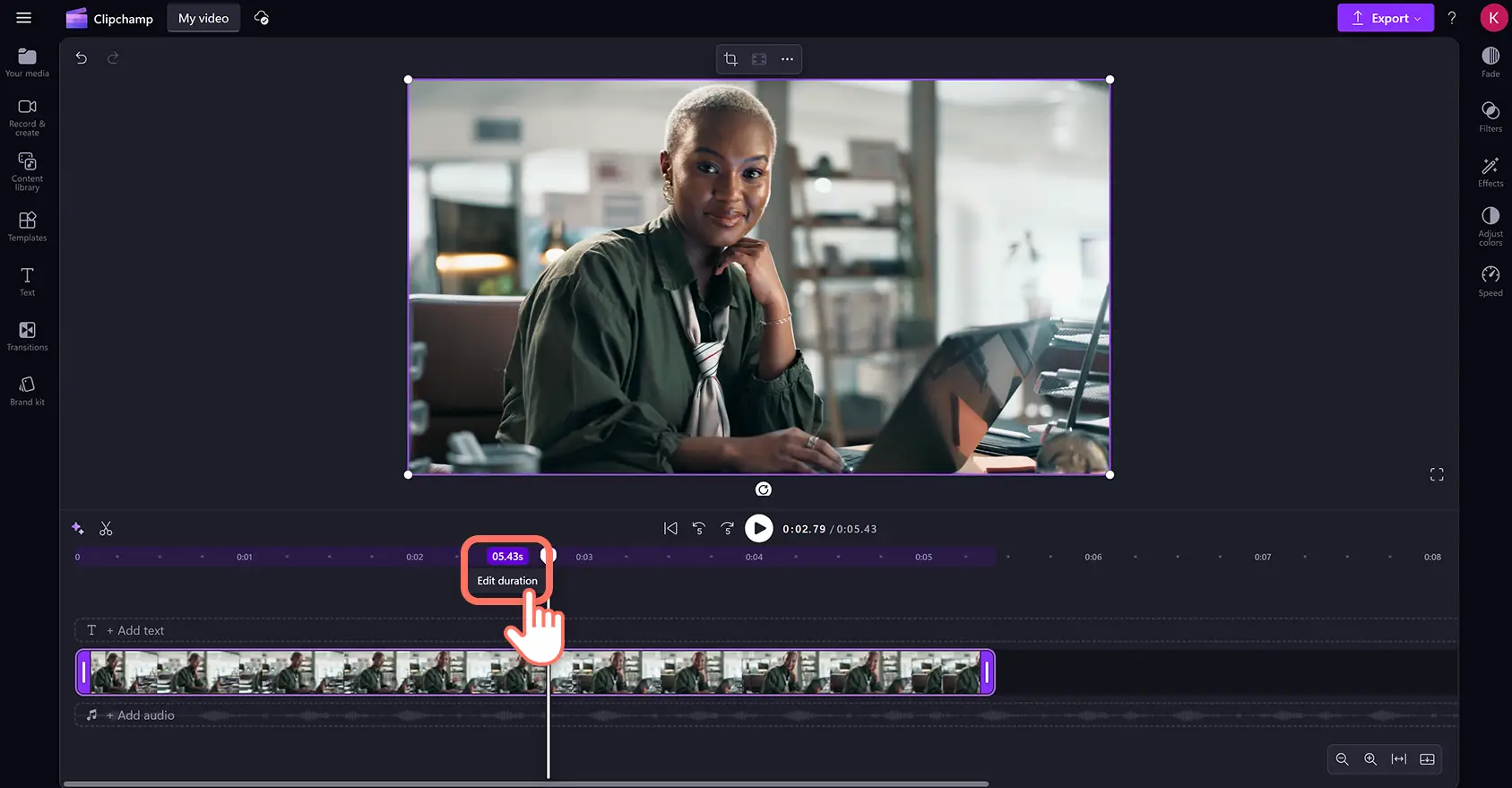
Slow editing doesn't just waste your afternoon. It compounds into missed opportunities, stalled momentum, and invisible algorithm penalties that quietly suffocate channel growth. The damage isn't dramatic. It's gradual. You keep uploading, views trickle in, and everything feels normal until six months pass and you realize you're exactly where you started.
Inconsistent Uploads Kill Algorithm Momentum
YouTube's recommendation system rewards predictability. When you post irregularly (two videos one week, none for three weeks, then one more when you "finally finish"), the algorithm interprets this as unreliability. It stops prioritizing your content in suggested feeds.
The Compound Power of Consistency
According to research from YouTube Creator Academy published in 2024, channels that maintain consistent weekly uploads receive 3x more impressions from the recommendation algorithm than sporadically publishing channels. The platform favors reliable creators, as viewer retention improves when audiences know when to expect new content.
You plan to post every Friday. Life happens. Editing drags into Saturday night. You skip one week, then two. By month three, your upload schedule looks random. The algorithm moves on to creators who deliver consistently, even if their production quality is slightly lower than yours.
Reduced Content Volume Limits Discovery
If one video consumes your entire weekend, you're capped at four videos per month. Maybe five if you sacrifice sleep. Growth becomes mathematically constrained. Channels that publish three times weekly produce 12 videos per month. That's triple your output. Each video is another:
- Chance for discovery
- Entry point for new subscribers
- Data point teaching the algorithm what works
The Mathematical Advantage of Volume
Two creators launch simultaneously in the same niche. One posts weekly with meticulous edits. The other posts three shorter, tightly edited videos weekly. After six months, the higher-volume creator has 72 videos indexed, compared with 24. Their subscriber count reflects this 3:1 advantage, not because individual videos perform better, but because they've given the algorithm more opportunities to find their audience.
Trend Windows Close While You're Still Editing
Viral moments have expiration dates measured in hours, not days. A challenge peaks on Tuesday morning. You film immediately, but need two days to edit. By Thursday, when you finally publish, the trend has moved on. Your video arrives in an empty room.
Google Trends data from 2024 shows that 78% of search interest around viral topics concentrates within the first 72 hours. After that window, engagement drops sharply. Speed isn't about rushing. It's about relevance.
Beating the Decay of Viral Windows
A dance trend explodes on TikTok Monday evening. You record your version on Tuesday after work. Editing takes until Thursday night. You upload on Friday morning, feeling accomplished. The trend peaked on Wednesday. Your video gets 200 views instead of the 20,000 it might have earned with a faster turnaround.
Platforms like Crayo's clip creator tool handle automated subtitle generation, voiceover syncing, and formatting adjustments in seconds rather than hours, compressing that two-day editing window into the same evening you film. This keeps you inside trend windows instead of watching them close from the editing bay.
Burnout Arrives Quietly, Then All at Once
Editing until 2 am becomes normal. You tell yourself it's temporary, that you're building something. For three months, you sustain this. Then motivation collapses without warning. You stop uploading entirely.
Breaking the Cycle of Creator Burnout
Adobe's 2022 Creator Economy Report found that 67% of small creators cite burnout as their primary reason for quitting within the first year. The study noted that production workload, specifically editing time, was the most frequently mentioned stressor. Exhaustion doesn't announce itself. It accumulates.
The High Price of Invisible Labor
You work full days, then edit for five hours nightly. Weekends are spent in rendering queues and caption adjustments. Friends stop inviting you out because you're always editing. One Tuesday, you open your editing software and feel nothing. No excitement. No energy. Just dread. You close the laptop. Three weeks pass before you upload again. By then, your momentum is gone.
Monetization Requires Reliability
Brands don't sponsor inconsistent creators. They need guaranteed visibility across predictable timelines. When a potential sponsor asks about your upload frequency, and you answer "whenever I finish editing," the conversation ends.
The Trust Premium of Reliability
Influencer Marketing Hub's 2024 brand partnership study revealed that 82% of companies prioritize upload consistency over production quality when selecting creators for long-term partnerships. They value dependability because campaign performance depends on sustained audience attention, not occasional viral hits.
Why Brands Choose Reliability Over Perfection
A skincare brand reaches out. They love your content. The call goes well until they ask about posting schedules. You explain that editing takes time, that quality matters, and that you post when videos are ready. They thank you and move to a creator who publishes every Tuesday and Friday without fail. That creator's individual videos might be less polished, but their reliability makes them a safer business bet.
Confidence Erodes When Progress Feels Invisible
Slow growth makes you question everything. Your storytelling. Your personality. Your niche choice. You assume the problem is talent when it's actually throughput. Doubt becomes a constant background noise.
The Velocity of Improvement
When results take months to materialize, most creators blame themselves before examining their systems. You watch other channels grow faster and assume they're more charismatic or lucky. The real difference is often workflow efficiency. They're not better. They're faster. Speed creates more feedback loops, more learning opportunities, and more chances to improve.
After eight months, you have 32 videos and 400 subscribers. You watch a creator who started after you hit 2,000 subscribers with 90 videos. You feel inadequate. You consider quitting. The gap isn't skill. It's volume multiplied by time. Their system allows them to publish weekly, while yours only allows monthly. Compounding does the rest.
Lost Compounding Erases Future Growth
YouTube growth is exponential, not linear. Each video builds on previous ones. Subscribers from video one watch video two. Some percentage subscribes. Those subscribers boost video three's early performance, which triggers more recommendations. This cycle accelerates only with consistent input.
Losing one video per week means 52 fewer growth opportunities annually. That's 52 missed chances for a breakout video. Fifty-two fewer data points teaching you what resonates. Fifty-two absent moments where someone might have discovered your channel and binged your catalog.
The Compound Interest of Speed
Imagine two timelines. In one, you publish weekly for a year. In the other, slow editing limits you to monthly uploads. The weekly creator has 52 videos, multiple viral hits, 5,000 subscribers, and clear audience insights. The monthly creator has 12 videos, modest growth, 800 subscribers, and still guesses what works. Both started with identical talent. The difference is compounding velocity enabled by faster systems.
Related Reading
- Video Editing Workflow Checklist
- PC Specs for Video Editing
- How To Start Editing Videos
- How To Practice Video Editing
- Mac Vs Pc For Video Editing
- How To Make A Video Editing Portfolio
- Video Editing Tips And Tricks
- How To Make Money Video Editing
- Best Free Video Editing Apps For Android
- How To Organize Video Files For Editing
- How To Edit Video In Google Drive
- Creative Video Editing Techniques
7 Best Vlogging Editors That Cut Editing Time in Half
1. Crayo AI
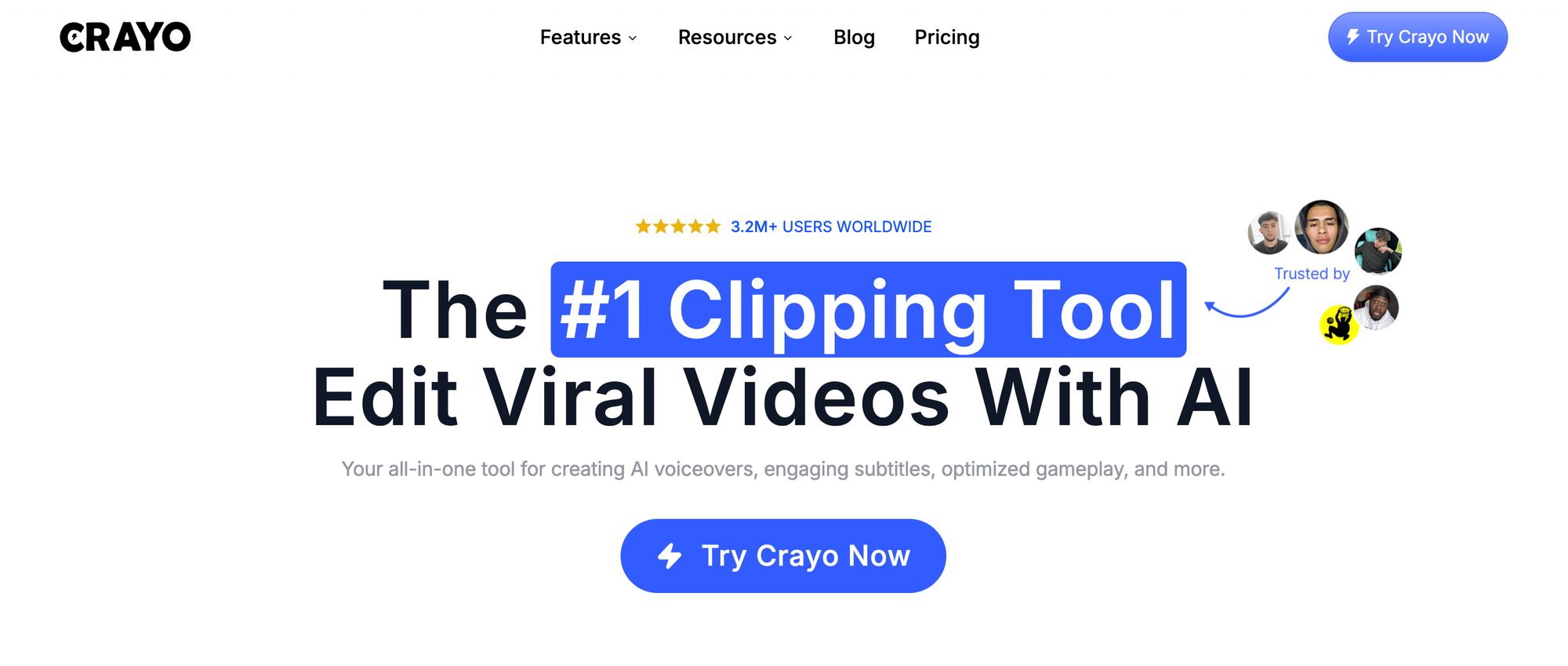
Best for creators who want one platform that handles everything from trimming to captioning to multi-format export.
Upload your raw footage. Crayo automatically removes silence, generates accurate captions, applies style templates, and formats for YouTube, Shorts, and Reels simultaneously. No switching between apps. No manual caption typing. No separate resizing steps.
Reclaiming Your Creative Clock
Recent industry analysis from 2026 indicates that AI-powered editing platforms can reduce production time by 50% by automating the most labor-intensive tasks in a creator's workflow. This efficiency creates a substantial shift in productivity, transforming a traditional five-hour editing session into a streamlined 90-minute process.
Mastering the Frictionless Workflow
Many creators describe the workflow as almost unsettlingly fast. You expect editing to hurt. Instead, you upload, review automated edits, adjust tone or pacing if needed, and export. The entire process now takes less time than manually adding captions.
This speed matters most when trends move quickly. You film a reaction video on Tuesday morning. By Tuesday evening, it will be live across three platforms. That responsiveness keeps you within viral windows rather than letting them close while you're still syncing audio.
2. Adobe Premiere Pro
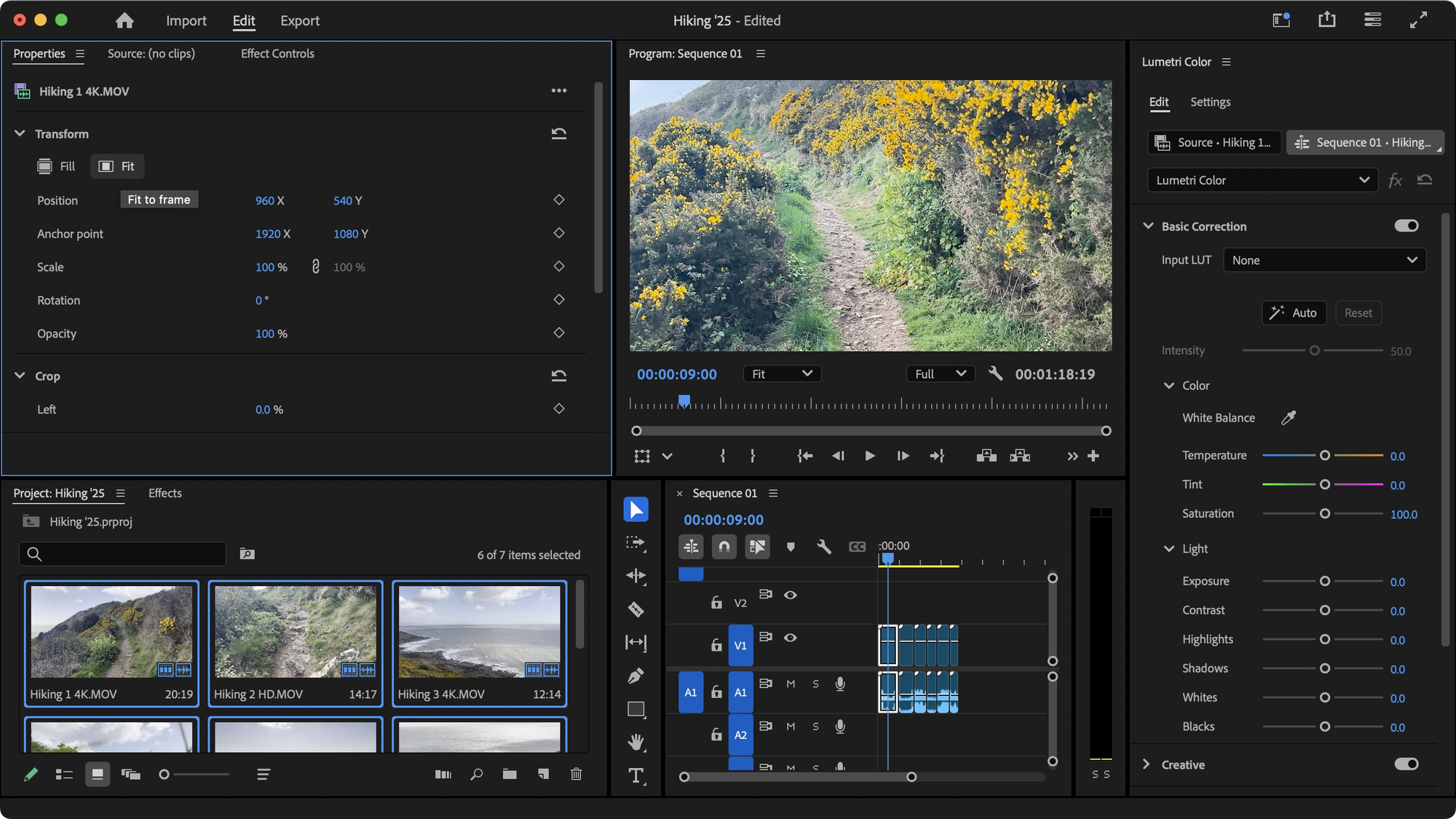
Best for vloggers who need advanced control and already understand the fundamentals of editing.
The Learning Curve Paradox
Premiere offers professional-grade color correction, multi-camera syncing, detailed audio mixing, and extensive effects libraries. Once you build reusable templates (saved color grades, preset timelines, export profiles), the software becomes efficient.
Setting up demands time. You'll spend your first week learning keyboard shortcuts, organizing bins, and configuring workspaces. For experienced editors, that investment pays off. For beginners chasing speed, it's a detour.
The Trap of Over-Engineering
Adobe Premiere Pro excels when projects are complex. Documentary-style vlogs with multiple angles, intricate sound design, or cinematic grading benefit from Premiere's depth. Simple talking-head vlogs don't need this much power, and the learning curve slows you down unnecessarily.
3. Apple Final Cut Pro
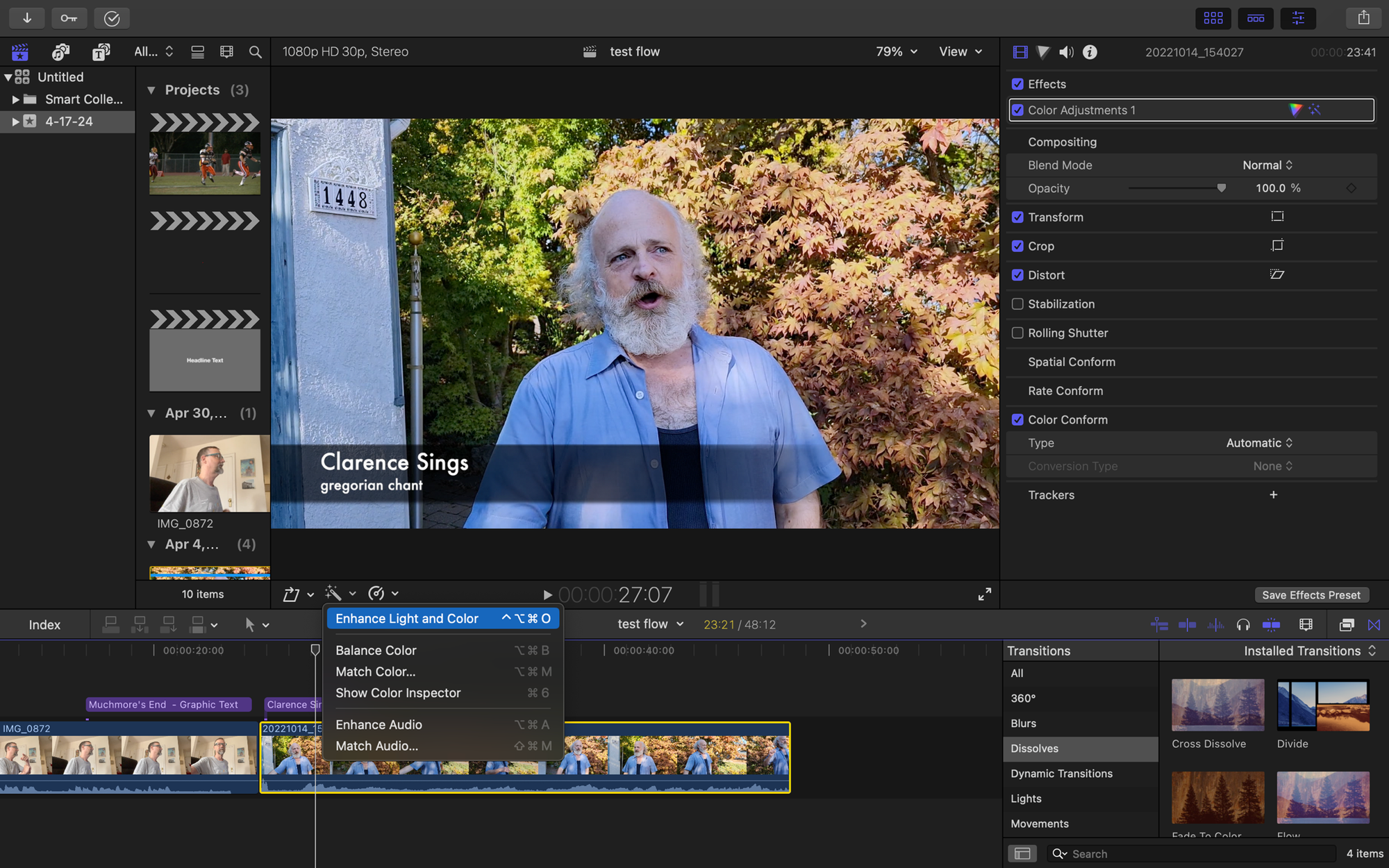
Best for Mac users who prioritize rendering speed and a simple interface.
Final Cut's magnetic timeline prevents accidental gaps or overlaps. Clips snap together intuitively. The software leverages Apple's hardware optimization, so exports finish faster than most competitors. If you're editing on a MacBook Pro, rendering a 15-minute video might take three minutes instead of ten.
The interface feels less cluttered than Premiere. You can learn core functions in a weekend. Built-in effects and transitions are sufficient for most vlogs without requiring third-party plugins.
The Cost of Ecosystem Dependency
The limitation is ecosystem lock-in. Final Cut only runs on macOS. If you switch to Windows later or collaborate with editors on different systems, project files don't transfer cleanly. You're committing to Apple's platform long-term.
4. CapCut
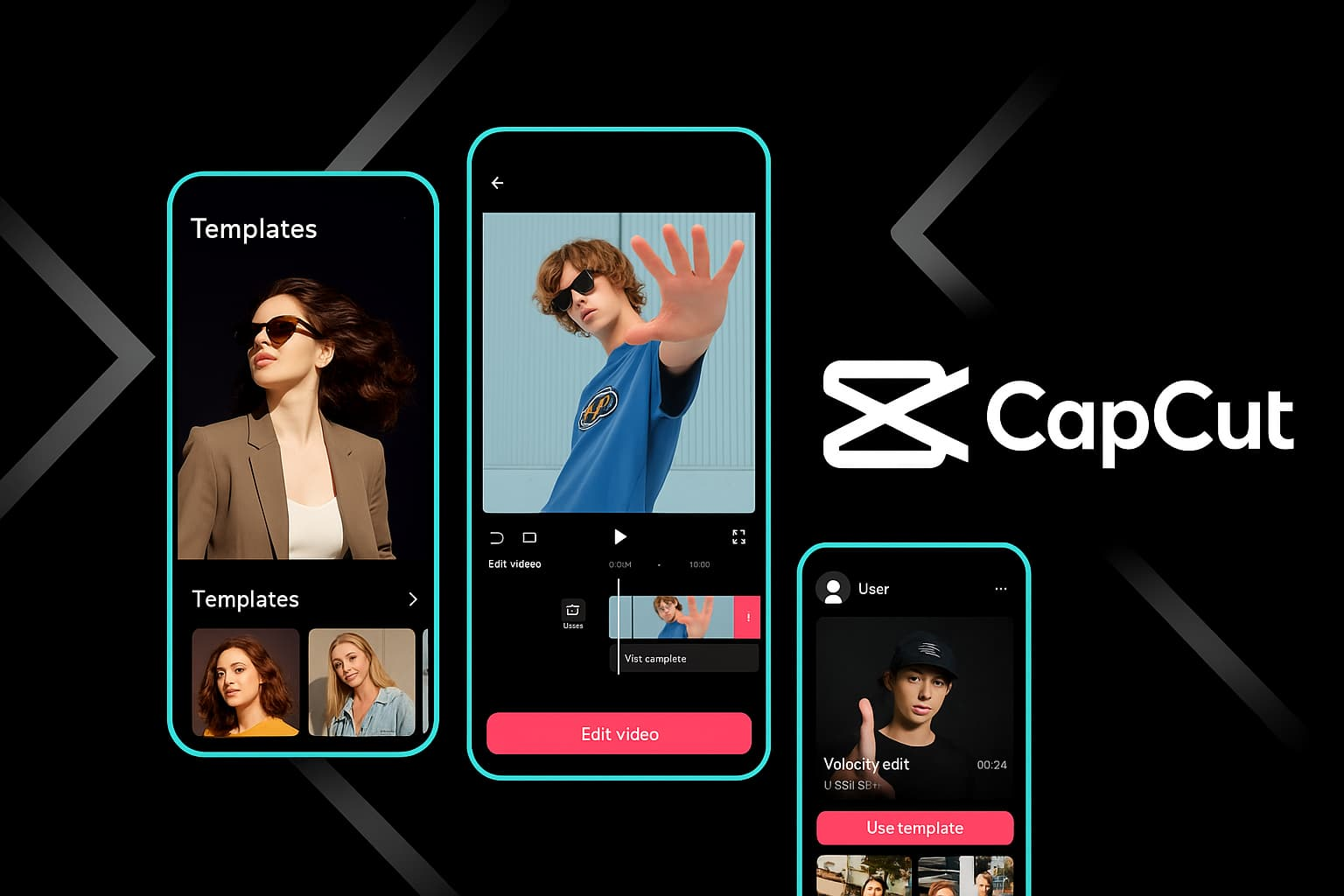
Best for beginners and mobile-first creators who need a free, immediately usable solution.
CapCut requires almost no learning curve. Drag clips into the timeline. Tap auto-captions. Choose a template. Export. You can edit an entire vlog on your phone during a commute.
The Ceiling of Simplified Editing
Simplicity is both a strength and a weakness. You won't find advanced color tools, detailed audio editing, or professional export settings. For quick social media content, that doesn't matter. For polished YouTube videos, you'll eventually outgrow it.
Many creators use CapCut for Shorts and TikToks, then switch to desktop software for long-form content. It's a smart hybrid approach. Fast edits for vertical video. More control for horizontal uploads.
5. Filmora
Best for desktop editing without overwhelming complexity.
Filmora sits between CapCut's simplicity and Premiere's depth. The interface uses drag-and-drop logic. Built-in effect packs (transitions, titles, filters) install quickly. Export presets automatically handle YouTube and social media formatting.
The Psychological Edge of Early Competence
You can learn Filmora in an afternoon and produce clean vlogs immediately. The software doesn't demand weeks of tutorial-watching before you feel competent. That accessibility matters when you're trying to build momentum early.
The tradeoff is limited customization. Advanced editors eventually bump against Filmora's ceiling. But for the first year of vlogging, when speed and consistency matter more than technical mastery, it removes enough friction to keep you publishing weekly.
6. DaVinci Resolve
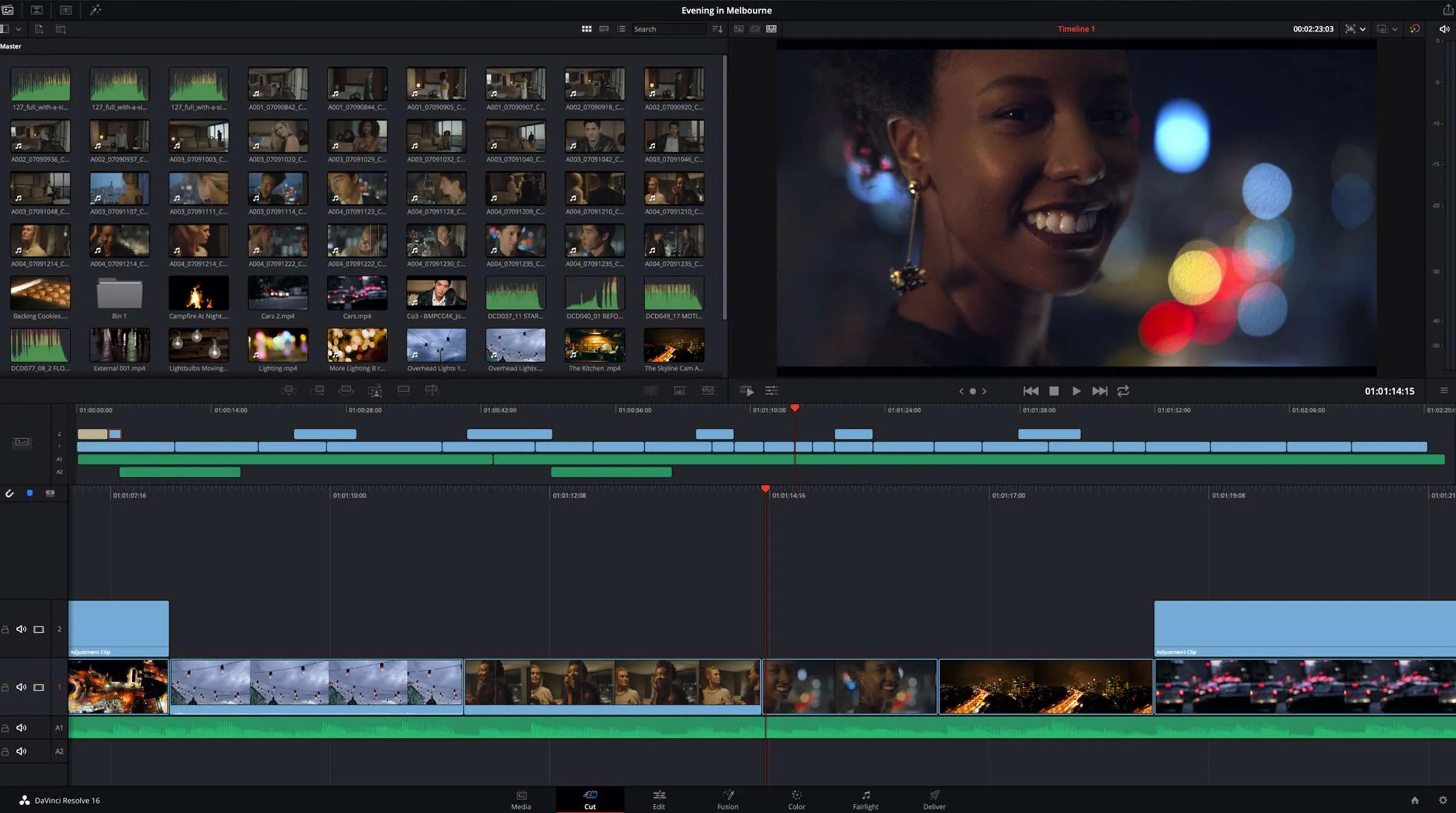
Best for creators obsessed with visual quality and willing to invest time upfront.
Resolve offers Hollywood-grade color correction tools. Professional colorists use this software on feature films. If you care deeply about how your footage looks (skin tones, lighting consistency, mood), Resolve delivers unmatched control.
The free version includes nearly all professional features. No watermarks. No export limits. That's rare and valuable.
But the interface assumes technical knowledge. You'll encounter nodes, scopes, and terminology borrowed from cinema production. Learning takes months, not days. Speed comes only after you've mastered presets and built custom LUTs (color lookup tables).
For most vloggers, this power is overkill. You're not grading a short film. You're editing a 10-minute talking-head video. Resolve can do it beautifully, but simpler tools finish faster.
7. iMovie
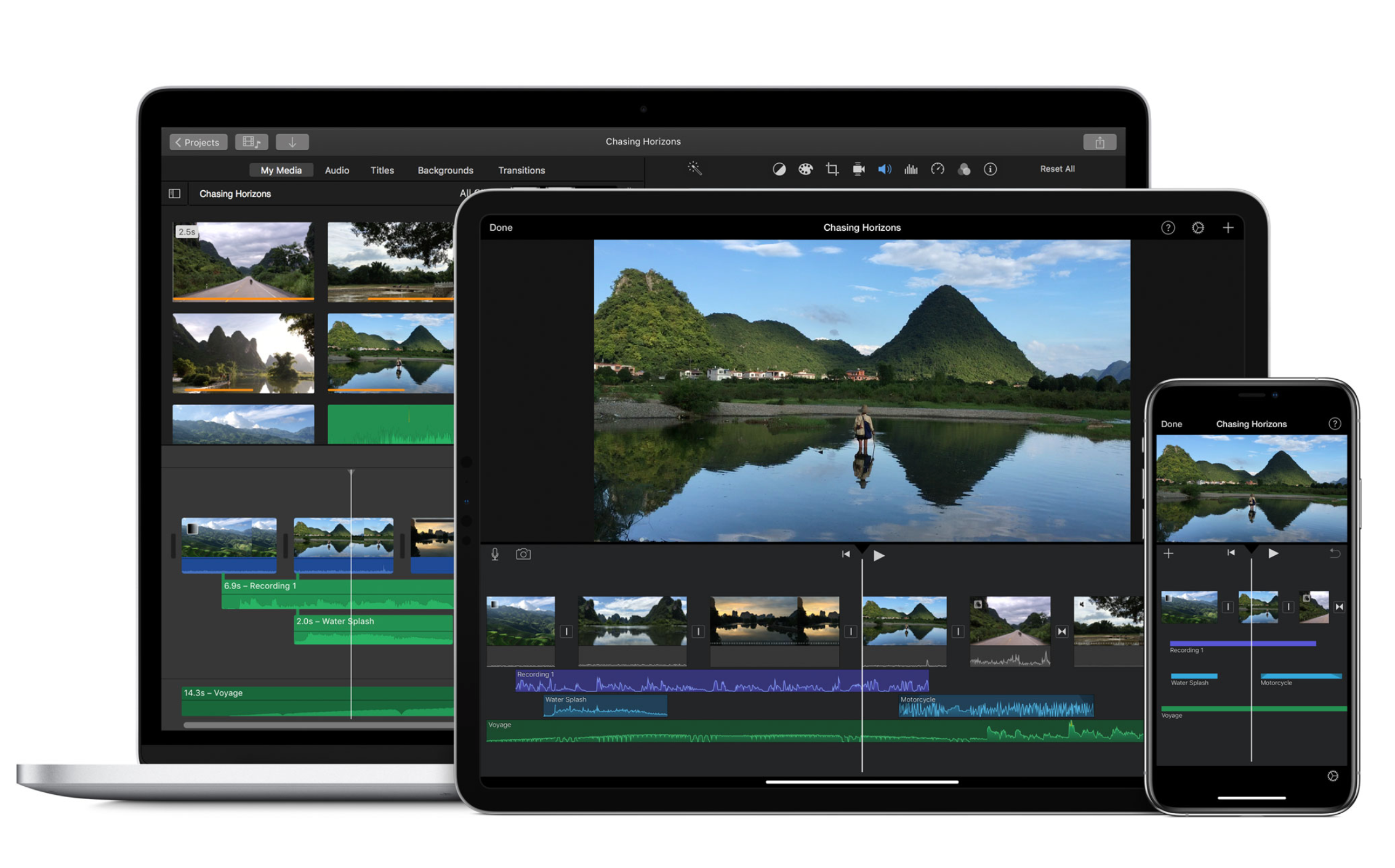
Best for absolute beginners on Apple devices who need something immediately functional.
iMovie comes pre-installed on Macs and iPhones. Open it. Import clips. Trim. Add a title. Export. You can finish a simple vlog in 20 minutes.
The Liberating Power of Constraints
The software intentionally limits options to prevent overwhelm. You won't find layers, advanced effects, or detailed audio controls. That constraint helps beginners avoid paralysis. You can't get lost in menus because there aren't many menus.
Most creators outgrow iMovie within months. Once you understand basic editing concepts (cuts, transitions, pacing), you'll want more control. But as a starting point that costs nothing and quickly teaches fundamentals, it works.
Why Tool Choice Determines Publishing Frequency
The gap between these editors isn't just about features. It's how quickly you can move from raw footage to published video.
Without automation, a 10-minute vlog requires manual trimming (45 minutes), caption typing (30 minutes), platform-specific formatting adjustments (20 minutes), and troubleshooting export errors (15 minutes). Total time: nearly two hours on repetitive tasks.
Reclaiming the Creative Flow State
With tools like Crayo's clip creator, those same tasks can be completed in minutes. Auto-trim handles silence removal. AI generates captions instantly. Templates apply formatting. Multi-platform export happens simultaneously. You're left with 30 to 40 minutes of actual creative work (choosing clips, adjusting pacing, refining tone).
That time difference compounds. Over a month, it's the gap between publishing four videos and twelve. Over a year, it's 50 videos versus 150. The creator with 150 videos has learned more, attracted more subscribers, and generated more revenue. Same talent. Different systems.
Capitalizing on the Short-Form Surge
Swiftia's 2025 analysis shows that vertical short-form videos on platforms such as TikTok, Reels, and Shorts generate up to 2.5 times the engagement of other video formats. Speed matters even more in this context. If your editor can't quickly reformat long-form content into vertical clips, you're missing the highest-engagement opportunities on every platform.
Aligning Tools with Creative Intent
Choosing software isn't about finding the "best" editor. It's about matching tool capabilities to your actual workflow needs. If you're filming daily vlogs and need to publish within hours, automation matters more than advanced color grading. If you're creating weekly cinematic content, depth matters more than speed.
Most vloggers pick tools based on what professionals use, then wonder why editing feels so slow. Professionals have different needs. They're optimizing for client revisions, color precision, and multi-format deliverables. You're optimizing for consistency and speed. Those goals require different software.
Related Reading
- Best Drone Video Editing Software
- Best Video Editing Software For Music Videos
- Best Video Editing Software For Sports Highlights
- Best Video Editing Software For Content Creators
- Best Video Editing App For Pc
- Best Paid Video Editing Software
- Best App for Video Editing on iPad
- Best Songs For Video Editing
- Autopod Alternative
Edit Your Next Video in 2 Hours: Step-by-Step Plan
The right tools matter less than knowing how to use them inside a repeatable system. Most vloggers own fast software but still spend all day editing because they improvise every step. Structure eliminates that waste. Here's a workflow that turns raw footage into published content in two hours, tested across hundreds of uploads.
Prepare Your Files (Minutes 0 to 10)
Before touching your editor, organize everything. Create one folder for the project. Move all clips into it. Rename files clearly: Intro, Main_Part1, Main_Part2, B-roll_Coffee, Outro. Delete footage you know is unusable (false starts, dead air, technical errors).
This step feels boring. You want to start cutting immediately. But disorganized files cost you 20 minutes later when you're hunting for that one clip you thought was in the timeline, only to find it three folders deep in your camera roll. Ten minutes of setup saves triple that during editing.
Trim and Structure (Minutes 10 to 30)
Import everything into your timeline. Watch through once at 1.5x speed. Cut long pauses, mistakes, and tangents. Arrange clips in story order. Add your intro and outro.
Your goal here isn't perfection. It's creating a watchable rough cut. If someone watched this version right now, they'd understand your point even if the pacing feels slightly off. That's enough. You're building the skeleton. Polish comes later.
Most creators waste this phase by re-watching the same section five times, tweaking cuts by single frames. Move faster. If a cut feels close enough, it probably is. You can always adjust during the next pass.
Add Captions, Music, and Branding (Minutes 30 to 60)
Now layer in the elements that make your video feel professional. Generate captions. Insert background music. Apply text styles for key points. Add your logo or watermark.
Manually, this consumes 40 minutes or more. You type captions word by word. You adjust text position frame by frame. You hunt for royalty-free music that doesn't sound generic.
The End of the Post-Production Bottleneck
Platforms like Crayo's clip creator tool compress this entire phase into minutes. Upload your rough cut. Captions generate automatically with accurate timing. Style templates apply instantly. Branding saves presets you reuse across every video. What used to take an hour now finishes before you refill your coffee.
Optimize for YouTube (Minutes 60 to 90)
Your video is nearly done, but publishing requires platform-specific adjustments. Select a strong thumbnail frame. Check audio levels (dialogue should peak around negative 6dB). Crop a vertical version for Shorts or Reels. Add an end screen linking to your next video.
The High ROI of Technical Polish
Details separate amateur uploads from content that performs. YouTube's algorithm favors videos that keep viewers on the platform. End screens do that. Proper audio levels prevent viewers from adjusting volume and losing focus. Vertical crops let you repurpose one edit across multiple platforms, multiplying reach without additional work.
Export and Upload (Minutes 90 to 120)
Export using YouTube's recommended settings (1080p, H.264 codec, high bitrate). While that renders, draft your title, description, and tags. Upload immediately after export completes.
Most editors offer presets for YouTube, TikTok, Instagram, and other platforms. Use them. Custom export settings rarely improve quality enough to justify the extra time spent configuring them. Presets exist because they work.
If you've followed this system, your video will be live within two hours of start time. Not because you rushed. Because you eliminated the friction that usually stretches editing across entire afternoons. You built structure, automated repetitive tasks, and made quick decisions rather than second-guessing every cut.
The Psychology of the Frictionless Finish
Consistency comes from repeatable systems, not heroic effort. This workflow works whether you're editing your fifth video or your five hundredth. The speed feels uncomfortable at first. You expect editing to hurt. When it doesn't, you assume something's wrong. Nothing is. You're working efficiently rather than wasting time on tasks that don't improve your content.
Try this once. Film something today. Follow these steps exactly. Set a timer. If you finish in under two hours, you've just proven that slow editing was never about your skill. It was about your process. Now you have a better one.