Every weekend, countless game-winning moments risk disappearing into forgotten phone storage because most editing tools aren’t designed to capture the excitement of sports. Specialized features such as slow-motion control, quick-cut tools, and text overlays are essential for transforming raw footage into engaging highlights. Coaches, athletes, and parents can benefit from software that efficiently turns everyday plays into shareable moments.
Evaluations compare editors on speed, ease of use, and sports-specific capabilities to streamline the creative process. Advanced features reduce the technical burden, allowing users to focus on celebrating the best plays. Crayo’s clip creator tool offers intuitive trimming and automated subtitle generation, ensuring that key moments are shared quickly and effectively.
Summary
- Raw footage from a full game recording stretches 60 to 120 minutes, with your best three plays buried somewhere inside that timeline. This search phase takes 30 to 40 minutes before you can trim a single frame, so you're hunting rather than editing. The work isn't complex; it's just inefficient because you're solving the same problems from scratch each time without a repeatable workflow or system.
- Sports content lives and dies by freshness, with social media analytics showing that content posted within the first few hours of live events captures up to twice two engagement of delayed posts. If your edit takes six to eight hours, you're publishing after the moment passes and watching others collect thousands of views while your timing misses the window. Same footage and same editing skill, but different timing means the difference between visibility and obscurity.
- Creative learning research confirms that frequency beats perfection when building editing skills. When one video consumes half your day, you can only produce two or three pieces per week, which means your skills improve at half the speed of someone publishing daily. After three months, a creator editing 10 clips weekly has produced 120 videos and developed speed through muscle memory, while someone editing two videos has 24 and still struggles with the same technical questions.
- Brands, teams, and sports organizations need fast turnaround times, and freelance video platforms report that faster editors win repeat contracts more often than technically superior but slower ones. When you offer a three-day delivery timeline and another editor says same-day, clients choose speed because their content calendars don't wait. Speed signals reliability and opens doors to paid opportunities that slower workflows keep closed.
- The tools that let you finish sports highlights in two hours share three traits: they automate repetitive tasks, they provide speed shortcuts that manual editing can't match, and they make professional features accessible without a steep learning curve. Auto beat-sync features eliminate manual timing, templates remove layout guesswork, and built-in effects eliminate the need for third-party plugins, so each tool addresses a different bottleneck and lets creators focus on storytelling rather than troubleshooting.
- Crayo's clip creator tool addresses this by automatically handling subtitle timing, aspect ratio adjustments, and template application, compressing the workflow into a repeatable system that reduces decision fatigue and gets highlights published in 45 to 90 minutes instead of six hours.
Why Editing Sports Highlights Feels Slow and Frustrating
The slowdown happens because most creators treat each edit like a brand-new project. They don't have a system, templates, or shortcuts. Instead of using a workflow they can repeat, they solve the same problems from scratch each time. This turns what should be a 10-minute task into an hour-long ordeal.
Speed isn't just about talent; it's about structure.
A full game recording stretches 60 to 120 minutes. Your three best plays are somewhere inside that timeline, hidden between warmups, timeouts, and empty moments. You scrub forward, rewind, pause, and squint at the preview window, trying to remember where that assist happened. Was it in the first quarter? The second half? Maybe 40 minutes in? Our clip creator tool streamlines the process, making it easier to locate and highlight your best moments.
This searching phase takes 30 to 40 minutes before you can trim a single frame. At this point, you're not editing yet; you're just hunting.
Why do creators struggle with searching?
One basketball creator I know records every tournament game but doesn't tag anything while capturing. Later, while sitting in front of the timeline, they watch the entire match again just to find dunks and blocks.By the time they find all the moments worth sharing, their energy is gone. The creative process, the part that makes highlights exciting, hasn't even started.
What challenges arise during the editing process?
You open your editor with good intentions; then the questions flood in. Should this be 30 seconds or 90?Should you start with the buzzer beater or the steal? Is it better to prioritize music or clips? Do you prefer vertical or horizontal?
No structure means every choice becomes a negotiation with yourself. You rearrange clips, second-guess transitions, and change your mind about pacing. What feels like editing is actually indecision dressed up as creativity.According to The Verge, extended sports highlights now run 8 to 18 minutes long, but if you don't decide your target length before you start, you'll spend 45 minutes rearranging instead of publishing. Our clip creator tool streamlines your decision-making and makes editing more efficient.
How does tool switching affect productivity?
A soccer editor once shared that they spent a whole evening moving clips around. Their constant uncertainty about whether to show defensive plays or just goals led to no clear plan or finish line.
You might download CapCat one week and then try Premiere the next. Maybe you even watch a DaVinci tutorial on YouTube.Each app promises faster results, but you never stick with one long enough to develop muscle memory.
As a result, every edit becomes a learning session all over again.You find yourself asking, Where's the cut tool again? How do I sync audio in this one? What are the export settings for Instagram?
Your time disappears into Googling basic functions instead of focusing on improving your storytelling. Mastery requires consistent practice with a single tool, but switching between platforms resets your progress each time.
In the end, you're not getting faster because you're not building on what you learned last week. To streamline your editing process, consider using our clip creator tool to maintain workflow and focus.
What happens without a structured editing approach?
Without keyboard shortcuts, markers, or presets, the editing process becomes hard. It involves clicking, dragging, adjusting, undoing, and repeating tasks. Editors end up trimming each clip frame by frame and moving playheads pixel by pixel, simply because no one showed them a faster way.
This method has limited accuracy. Instead, it leads to slowness, which can easily be mistaken for careful work.
Think about a football highlight that could take five minutes to edit using hotkeys and snap-to-beat features. Without these tools, editing takes 20 minutes because everything is done manually.The work isn't complicated, but it is definitely slow. Using our clip creator tool can streamline this process, making editing much more efficient.
How does poor organization impact editing time?
Your project folder might contain files named: VID_001, Final_v2, Export_FINAL, and Actually_Final_Use_This. This lack of a naming convention leads to confusion. There’s no version control and no clear separation between raw footage and exports.
Opening the wrong file can lead to exporting over a good version, causing the loss of edits. If you can't remember which file had the color correction, it isn't a major issue, but it adds up over time.Five minutes here, three minutes there, and suddenly an hour has disappeared into file management instead of creative work. Our clip creator tool helps streamline your editing process and minimize these time-wasting errors.
What strategies do professional editors use?
Professional editors use saved layouts, preset intro sequences, and music timing templates. They don't have to start from scratch for every project; instead, they follow a systematic approach.
On the other hand, when producing videos without a system, every project starts from scratch. Each intro is created from scratch, and every transition is timed manually.Because of this, you might find that you aren’t getting faster even with practice; without a structured method, each project can seem like your first one.
How can workflows improve editing efficiency?
Teams that adopt repeatable workflows report cutting production time by 40 to 60 percent. This boost in efficiency isn't about working harder; it's about avoiding the same problems repeatedly. Additionally, using a tool like our clip creator can further streamline these processes.
Before exporting, you might watch your timeline three times and check the audio levels again. You might also preview the transitions one more time, not because there is a problem, but because you might be worried about publishing a mistake.
What leads to procrastination in editing?
This caution may feel responsible, but it’s actually procrastination in disguise. At this stage, you're not making the quality better; you’re just putting off the moment you hit publish because you don’t yet trust your process. To streamline your editing process, consider how our clip creator tool can enhance your workflow.
How can automation help in the editing process?
Many creators working with raw footage and manual workflows find that automation removes the guesswork. Platforms like the clip creator tool automatically manage subtitle timing, adjust aspect ratios, and apply templates. This means users can follow a tried-and-true process instead of doubting every edit. As a result, they can publish faster without worrying about missing something.
However, speed alone doesn't fix everything, especially when inefficiency can cost more than just time.
Related Reading
- Types of Video Editing
- Long Does It Take to Edit a YouTube Video
- How Long Does It Take to Edit a Music Video
- What Is an Overlay in Video Editing
- Is CPU or GPU More Important for Video Editing
- Can I Edit a YouTube Video After Posting
- Is Video Editing a Good Career
- Beginner’s Guide to Video Editing
- Video Editing Basics
The Hidden Cost of Editing Sports Videos the Wrong Way
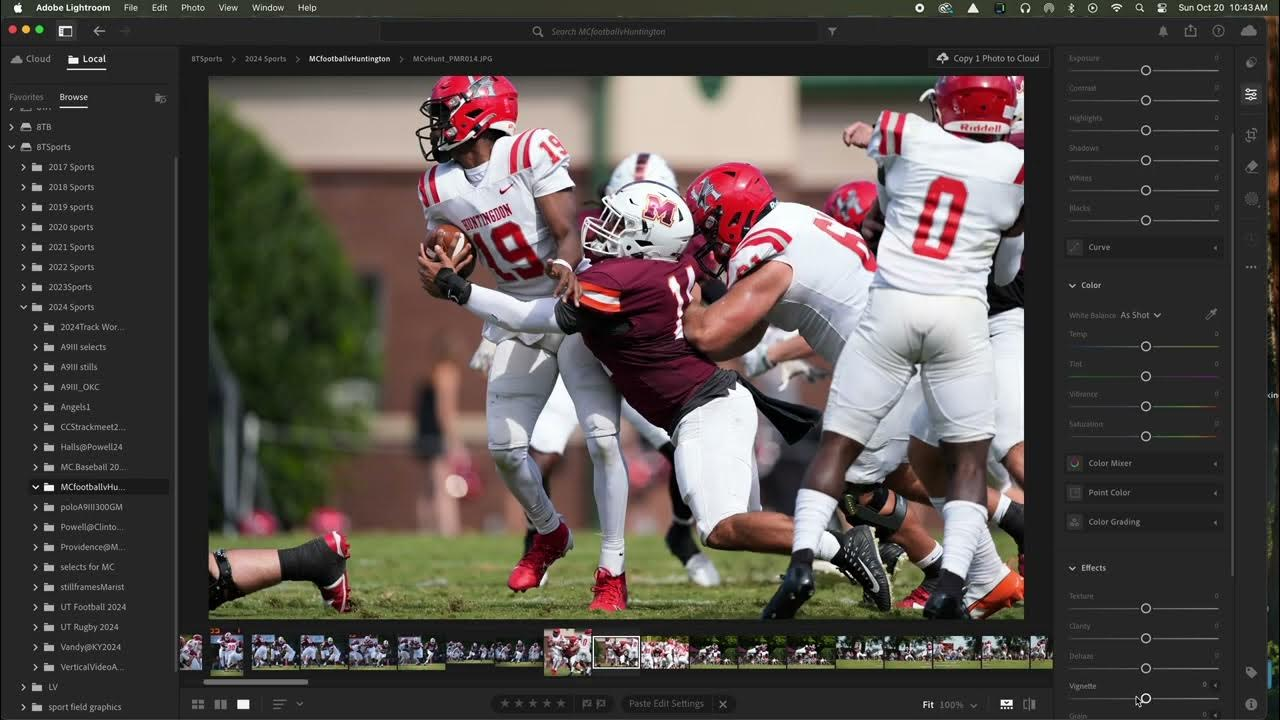
Slow editing doesn't just slow your publishing schedule; it quietly undermines your ability to grow, earn, and keep moving forward as a creator. Every hour spent editing footage instead of sharing content adds up to missed opportunities. This often feels invisible until you take a step back and wonder why others are moving faster.
The math is tough. If your workflow takes six hours for each video, you're not just losing those six hours. You're also missing out on views from posting on time, practice that builds your skills, client opportunities that require quick turnaround, and the confidence that comes from seeing your progress.Speed isn't a luxury; it's the key to everything else. Using our clip creator tool can simplify your editing process and save valuable time.
Sports content depends on freshness. Same-day highlights, post-match recaps, tournament moments, and trending clips all have a short life. The algorithm rewards immediacy because audiences want to relive the action while it still feels urgent.
How does slow editing affect visibility?
If your edit takes six to eight hours, you're publishing after the moment has passed. You finish the video, export it, upload it, and then see others already getting thousands of views. Your quality might be just as good as theirs, but your timing isn't.Social media analytics from Hootsuite and Sprout Social (2024) show that content posted within the first few hours of live events gets up to two times more engagement than posts that are shared later. That's not a small advantage. That's the difference between being seen and being ignored.
Why does timing matter in video editing?
Two creators cover the same basketball game. One posts highlights 90 minutes after the final buzzer, while the other waits until the next morning.The first video gets 80,000 views, while the second struggles to reach 5,000. They used the same footage and showed the same editing skill, but their different timing caused very different audience engagement.
When a video takes half a day to edit, a creator can typically produce only two or three videos per week. While this may seem productive, it's important to consider that skills improve at half the rate of someone who posts daily. Our clip creator tool streamlines editing, enabling faster turnaround and increased engagement.
How does the volume of work impact skill development?
Creative learning research shows what many professionals already know: frequency beats perfection. Doing things more often helps you learn better; you learn more from editing 10 short clips each week than from polishing two perfect videos. Each time you try something, you learn something new about pacing, music timing, or audience retention. If your workflow is slow, though, you miss out on those important repetitions.
Think about two creators: Creator A edits 10 clips each week, while Creator B only edits two. After three months, Creator A has made 120 videos. They've tried different formats, identified what works, and become faster through muscle memory.On the other hand, Creator B has only 24 videos and still grapples with the same technical questions they had at the very start. The difference isn’t about talent; it's about volume.
Why do clients prefer faster editors?
Brands, teams, and sports organizations need fast turnaround times. When they ask about delivery timelines, they are not just looking at skills; they are also judging how well you can meet their publishing needs.
If you say, "I'll deliver in three days," but another editor says, "same day," the choice is simple. Speed shows dependability. Freelance video platforms report that faster editors win repeat contracts more often than those who are technically better but slower.Clients value consistency more than perfection because their content schedules don't wait. Our clip creator tool streamlines editing, enabling faster turnarounds without sacrificing quality.
What are the consequences of slow turnaround times?
A local soccer club wants to post highlights on social media tonight. You need eight hours to finish your work, but another editor only needs two.They get the contract, receive the testimonial, and get the next referral. You're left wondering why these opportunities keep passing you by, not realizing that your workflow is the bottleneck.
How does slow editing affect self-perception?
Slow progress breeds self-doubt. When editing feels like pushing a boulder uphill, questioning your abilities becomes inevitable. Watching other creators publish so easily makes you think they have a special talent you lack.
This internal talk can become corrosive. Thoughts like "Maybe I'm not good at this" or "Others are just more talented" can fill your mind. These feelings seem reasonable, especially when you can’t see what’s happening behind the scenes.You may not be familiar with their templates, keyboard shortcuts, and organized file structures. Instead, you only notice their finished work.
What is the root cause of slow editing?
Speed is a system problem, not a talent issue. Most professionals edit slowly at first; they get faster by building better workflows rather than by finding hidden skills.Understanding this difference is important; otherwise, one might see their struggle as a personal failure.
Editing often continues late into the night as pressure to meet self-imposed deadlines builds. Mistakes are corrected, and exports are redone. This cycle can change what should be a passion into a source of punishment.
What is the impact of inefficient workflows?
Studies on creative burnout show that inefficient workflows increase mental fatigue more than the workload itself. It's not the amount of work that tires people out; it's the friction that comes with it. The constant problem-solving and repetitive tasks that could be automated add to this fatigue. This creates a feeling that every project is a struggle rather than an easy process.
Many creators who work with raw footage and manual workflows find that automation reduces uncertainty. Platforms like the clip creator tool automatically handle tasks such as subtitle timing, aspect ratio adjustments, and template application. This allows creators to follow a proven system rather than worrying about each cut. The result is faster publishing without the stress of worrying about overlooked items.Leveraging our clip creator tool can further streamline your workflow and make the creative process smoother.
How can inefficiency impact long-term success?
When editing feels difficult, it often leads you to put things off and even give up on projects halfway. You might say you'll finish tomorrow, but the same feeling of resistance shows up every day.The tasks may not be overwhelming, but the inefficient process is hindering progress.
While one video is nearly complete, competitors are releasing five. They try out ideas, experiment with different styles, follow trends, and react to popular moments, all while you're still exporting.Our clip creator tool simplifies editing, helping you stay competitive.
The gap grows larger every week. Competitors are building their audiences, but you just get more frustrated.It might look like they have a hidden edge, but the reality is simple: they ship faster. Volume creates opportunity; the more you publish, the better your chances are of gaining momentum.
What happens to your portfolio with slow output?
Your channel is stagnating, not because the content is weak, but because you are not producing enough content. Growth needs consistency, and consistency needs speed.
Slow editing leads to fewer samples.Fewer samples create a weaker portfolio.When applying for gigs, clients want to see range, volume, and recent work matter.If your portfolio has only six videos from the past three months, you may appear less experienced than someone with 30.
You hesitate to pitch yourself because your portfolio does not reflect your potential. Staying stuck at the beginner level happens because we don't create enough work, not because of skill. The work you could have finished remains unfinished in your project folder. Using our clip creator tool can streamline your editing process and help you produce more content efficiently.
What tools can help streamline the editing process?
Recognizing the cost is only useful when you know which tools can effectively address it.Our clip creator tool helps streamline the editing process, making it easier for creators to enhance their content.
10 Best Video Editors to Create Highlights in 2 Hours
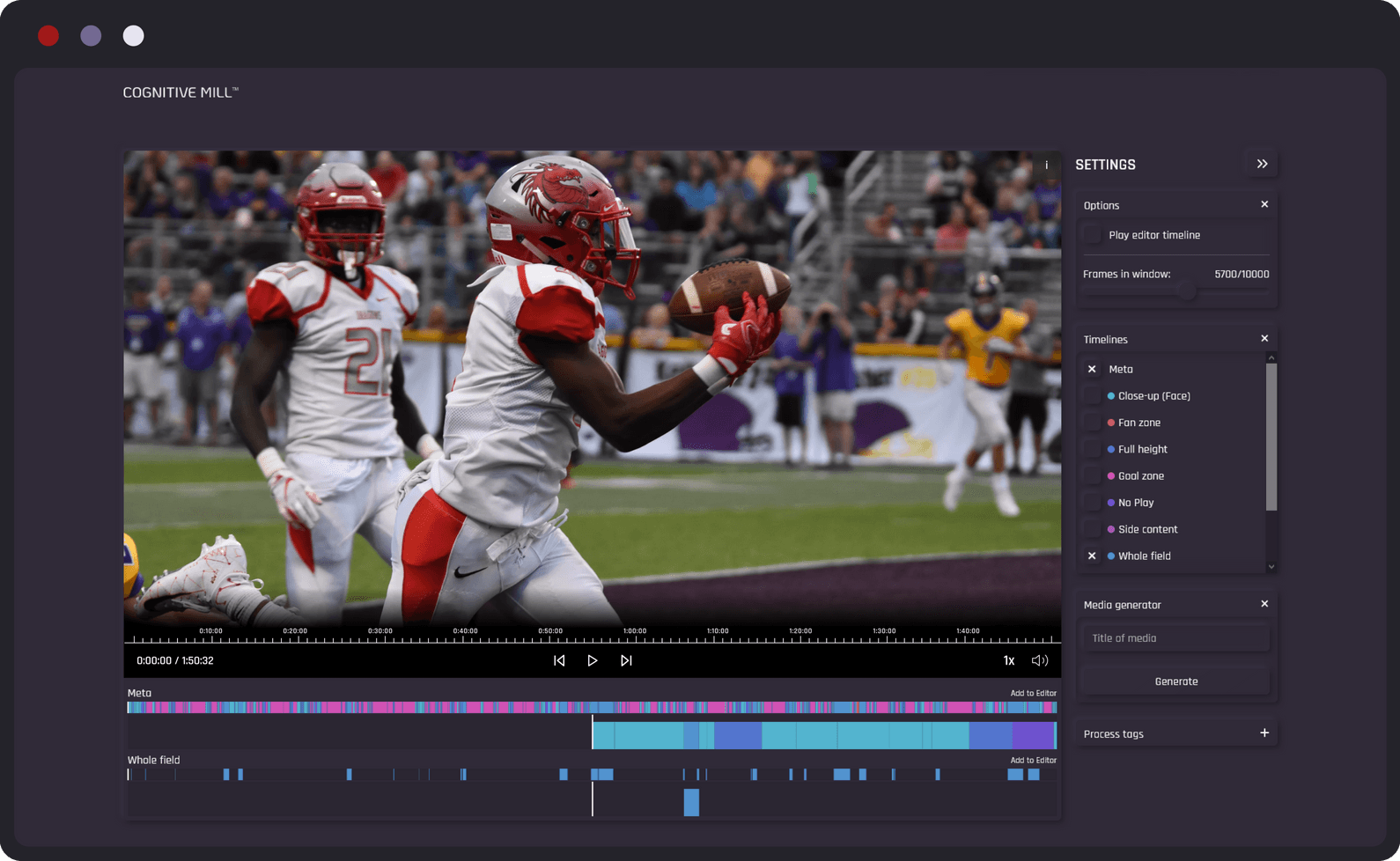
The tools that let users create sports highlights in two hours have three key features: they automate repetitive tasks, offer speed shortcuts that manual editing can't beat, and make professional features easy to use without extensive training.Here are 10 editors that help improve your workflow by making things easier, not by cutting corners. For instance, our clip creator tool streamlines editing, allowing you to focus on content rather than mechanics.
1. Crayo AI
Crayo automates the most time-consuming parts of editing: cutting clips to the beat, syncing transitions, formatting for vertical or horizontal output, and applying subtitle timing. Users upload raw footage, pick a sports highlight template, and let the platform create a polished edit in 30 to 45 minutes. The system handles technical decisions, allowing users to focus on reviewing and making small changes rather than starting from scratch.
For example, a soccer creator uploads 30 minutes of gameplay. Crayo finds key moments, syncs them to music, and produces a 90-second highlight reel before the creator finishes their coffee. This is not an exaggeration; it demonstrates the smooth workflow that comes from using a tool designed to address these problems.
2. Adobe Premiere Pro
Premiere gives you full control over every frame. This may sound nice, but control without shortcuts can slow you down. The key difference is in Premiere's keyboard shortcuts, marker system, and preset library. These features let experienced editors work quickly.You can mark goals and key plays when you import your footage, use saved transition presets, and export in formats designed for Instagram or YouTube. The learning curve is steep, but once you learn the hotkeys, you'll edit clips faster than many beginners can scrub through timelines.
Studio-level output is important when clients expect polished results. Premiere provides this without guesswork, provided you've spent time learning the system. For those looking for efficient ways to create content, our clip creator tool can significantly streamline the editing process.
3. DaVinci Resolve
Resolve's strength lies in its color grading tools. Sports footage often looks flat right out of the camera, especially under artificial lighting or cloudy skies.Resolve's LUT presets, or cinematic color profiles, can change dull footage into vibrant, dramatic visuals in seconds. By applying a LUT and adjusting shadows and highlights, basketball highlights can look like they belong on ESPN.
The free version includes most professional features, making it easy for creators to achieve cinematic quality without the hassle of subscription costs. The downside is that the interface can feel complicated at first.Users will likely spend their first few sessions Googling where the tools are, but the reward is stunning visuals that stand out in crowded feeds.
4. Final Cut Pro
Final Cut's magnetic timeline is the feature that turns Mac users into loyal fans. Clips snap together without gaps, so you don’t have to constantly nudge and align things, which can slow down traditional timelines. You drop in clips, they stick, and you can keep moving forward.The rendering speed on Apple silicon is faster than most competitors', meaning you wait less and have more time to make changes. If you're looking to create unique clips smoothly, consider how our clip creator tool can enhance your workflow.
For Mac users, if speed is more important than cross-platform compatibility, Final Cut stands out for addressing issues other editors can’t match.
5. CapCut
CapCut brings desktop-level features to mobile devices, which matters when you're editing on the go or publishing same-day highlights from a tournament. The auto beat sync feature listens to your music track and cuts clips to match the rhythm, saving the manual work of timing transitions frame by frame.
Our clip creator tool further streamlines the editing process, ensuring your content is not only quick to produce but also engaging. Trending effects and templates update regularly, keeping your content aligned with what's performing well on TikTok and Instagram.
However, the limitation is that mobile screens make precision cuts more challenging. CapCut is best suited to quick social posts rather than client projects requiring pixel-perfect accuracy.
6. Filmora
Filmora occupies a middle ground between beginner-friendly and feature-rich video editing software. The intuitive interface makes navigation easy, and the drag-and-drop timeline can be used without a tutorial.Moreover, the preset library includes transitions, effects, and text animations that look professional and require no customization. Users are not required to build effects from scratch; instead, they can select from a library that works out of the box.
New creators appreciate Filmora because it doesn't penalize them for lacking advanced techniques. Clean highlights can be produced without mastering layers, keyframes, or color wheels.
7. Shotcut
Shotcut shows that you don't need a subscription to edit sports highlights. This open-source editor supports multi-track video, basic effects, and standard export formats, with no monthly fee.While the interface feels utilitarian instead of fancy, it still works well. Users can organize clips, cut highlights, add basic transitions, and export their work easily. With tools like Crayo’s clip creator, you can enhance your editing experience even further.
The downside is that it doesn’t hold your hand. Shotcut expects users either to figure things out on their own or to look at the available documentation. For those who are okay with learning through trial and error, the zero-dollar price tag makes any problems worth it.
8. HitFilm Express
HitFilm specializes in motion graphics and visual effects that elevate sports highlights beyond simple cuts and transitions. Creators can animate titles that fly across the screen, add lens flares to highlight big moments, and use overlays to give their edits a broadcast feel.The Colossyan Creator, with 450 reviews, demonstrates how AI-assisted tools are reshaping editing workflows. HitFilm's effects library follows a similar approach, giving creators access to professional techniques without requiring expertise in After Effects. Our clip creator tool makes it even easier to enhance your editing experience.
However, the downside is that effects can distract from the action if they are used too much. HitFilm works best when creators use restraint.
9. Lightworks
Lightworks emphasizes precision cutting, which is very important when timing is everything. Features such as frame-level trimming, ripple edits, and multi-cam syncing give you control over pacing without slowing down.Professional editors appreciate Lightworks because it doesn't make decisions automatically; instead, it helps you edit faster by speeding up your manual efforts. You're still the one making the cuts, but the tools respond faster.
The free version does limit export resolution, which can be a drawback for YouTube uploads. However, it's perfectly fine for practice or portfolio pieces.
10. LumaFusion
LumaFusion brings desktop-level editing to iPads. This upgrade is important for users who need portability without sacrificing power. Features like multi-track editing, color correction, audio syncing, and keyframe animation all work smoothly on a tablet.Users get mobility while keeping strong tools. For those looking to enhance their content creation, our clip creator tool* simplifies the process.
The interface uses touch controls in ways that desktop editors can't match. Users can pinch to zoom, swipe to scrub, and tap to trim. Once they become familiar with these gestures, the workflow becomes faster than regular mouse-based editing.
What common philosophy do these tools share?
Most editors working with raw footage and manual workflows discover that automation removes the guesswork. Platforms like the clip creator tool automatically handle subtitle timing, aspect ratio adjustments, and template application.This allows you to follow a proven system instead of second-guessing every cut. The result is faster publishing without the anxiety of wondering if you missed something.
These tools share a common idea: editing speed comes from removing decisions, not from adding features. Auto-sync presets eliminate manual timing, while templates take away layout guesswork. Built-in effects skip the need for third-party plugins, and faster rendering reduces export delays.Each tool solves a specific problem, but they all answer the same question: how can we help creators focus on storytelling rather than troubleshooting?
Why is learning to use tools together important?
Knowing which tools exist is only helpful if you know how to use them together in a repeatable system.By leveraging Crayo's clip creator tool, you can streamline your workflow and enhance your overall productivity.
2-Hour Action Plan to Publish Your First Highlight Today
A system helps you decide what to do next without overthinking. You simply follow the steps, complete the tasks, and finish quickly.Most creators don't build this kind of system, which is why they often start over. The 2-hour workflow below removes the stress of decision-making by showing you exactly what to do in order, with time limits for each step. You're not making things up; you're following a plan.
The structure is more important than the tools you use. Whether you're working with Premiere, CapCut, or our Crayo clip creator tool, the steps are always the same: organize, cut, sync, polish, export.The difference between finishing in two hours and six hours depends on how much trouble you have in each step. Automation helps reduce this burden, while templates eliminate uncertainty and presets reduce repetitive changes. The faster you can make decisions, the sooner you can ship.
0 to 15 Minutes: Organize Raw Footage
Start by gathering every clip from today's game or event. Put them all into one folder and rename the files so you can identify them without opening each one, like Goal_1, Assist_2, Save_3. Use simple names that give you a quick idea of the clipis content.
Delete unusable footage right away. This includes blurry warm-ups, blank sections, and clips with no action. Don't save them just in case, because they make your timeline messy and slow you down. Keep only what might make the final cut.
If you're doing this manually, this phase takes a full 15 minutes. During this time, you're clicking, dragging, renaming, and reviewing.If you're using Crayo, you can upload everything at once and let the platform automatically organize it by identifying key moments. The system tags highlight as you move to the next task, saving you 10 minutes before you start the timeline in our clip creator tool.
15 to 40 Minutes: Build the First Cut
Select your best moments: three to five plays that tell the story. A buzzer beater, a defensive stop, a breakaway goal. Arrange them in order and remove the gaps between clips so the action flows smoothly without pauses.
Manual editors drag clips into the timeline one by one, trimming the edges and adjusting the spacing. Each placement involves making micro-decisions about where a clip begins and ends. This phase can take 25 minutes as you solve placement problems frame by frame.
With Crayo, you pick a sports template and generate the first cut automatically. The platform arranges the clips, removes empty space, and creates a rough draft in under five minutes.You're not starting from zero; you're reviewing an existing setup that works and refining what doesn't align with your vision.
Time saved: 20 minutes.
40 to 70 Minutes: Sync Music and Add Effects
Drop your background track into the timeline.Match clip cuts to the beat, add transitions between plays, and insert score overlays, player names, or game stats.
This phase separates amateur highlights from professional ones. The difference isn't the footage; it's the pacing. Clips that land on the beat feel intentional. Transitions that match the music's energy amplify emotion.Manual syncing requires listening, scrubbing, adjusting, previewing, and repeating. You're nudging clips, millisecond by millisecond, until the timing feels right.
Auto beat-sync tools listen to your music and automatically cut clips to match the rhythm. Crayo applies this sync during template generation, making sure your first cut already matches the beat. You're not starting from silence; you're adjusting a draft that already has momentum.
The result is professional pacing without the stress of manual timing.
70 to 95 Minutes: Color Correction, Titles, and Branding
Adjust brightness and contrast so your footage appears consistent across all clips. Add player names or team logos and put your watermark in the corner. These finishing touches make your edits look broadcast-ready instead of casual.
Save your settings as presets for color correction profiles, title templates, and logo placements. Next time, you can apply them in seconds rather than starting from scratch. This is where repeatability starts to add up.Your second video takes half the time because you're not solving the same problems again. To further enhance your efficiency, consider using our clip creator tool to streamline your editing process.
If you skip this step, your highlights look unpolished. On the other hand, if you overdo it, they look overproduced. The goal is to achieve a polished, distraction-free look, so viewers focus on the action, not the effects.
95 to 120 Minutes: Export and Publish
Export in 1080p or 4K, depending on what your platform needs. Resize for vertical formats (TikTok, Instagram Reels) and horizontal formats (YouTube). Upload right away; don't wait for the "perfect" moment. Timing beats perfection.
Manual export means you set the settings, render, wait, and then repeat the process for each platform. This means you will export three times: once for vertical, once for horizontal, and once for square. Crayo's one-click multi-platform export handles all three at once.You can render once and set up files for each platform. Our clip creator tool further streamlines the process, helping you maximize efficiency and maintain quality.
The result is no re-rendering, no formatting delays, and no missed posting windows.
How does this system help consistency?
Random editing produces random results. You often finish when you finish, which usually means you don't finish at all.This system removes ambiguity; you always know what step comes next, how long it should take, and when you're done.
The structure also shows where your bottlenecks are. If organizing footage takes 30 minutes instead of 15, better file management is needed. If syncing music takes an hour, then automation is necessary. The clock reveals inefficiencies and provides clear goals for improvement.
Most creators working with raw footage and manual workflows find that automation eliminates guesswork. Platforms like the clip creator tool automatically handle subtitle timing, aspect ratio adjustments, and template application. This means you are using a proven system instead of second-guessing every cut. The result is faster publishing without the worry of missing something. To enhance your workflow, consider using our clip creator tool to streamline content creation.
How do you initiate the workflow?
Consistency builds skills faster than working on and off. Editing 10 highlights using this system teaches you more than editing just three without any structure. By practicing the same workflow and improving the same steps, you create muscle memory that turns conscious decisions into automatic actions.
First, gather today's footage. Then, choose your editor and create folders named Raw, Edits, and Exports. Decide on a highlight style, whether it's fast-paced, cinematic, or minimal. Set a two-hour timer and follow the steps above without making any changes.
That's the whole process: no waiting for inspiration, no searching for tutorials, and no second-guessing your method.You have a system; just follow it.
Speed of execution is important, but it matters only if you can compress the entire workflow into a single, repeatable sprint.Our clip creator tool makes this process smooth and efficient.
Related Reading
- Video Editing Workflow Checklist
- PC Specs for Video Editing
- How To Start Editing Videos
- How To Practice Video Editing
- Mac Vs Pc For Video Editing
- How To Make A Video Editing Portfolio
- Video Editing Tips And Tricks
- How To Make Money Video Editing
- Best Free Video Editing Apps For Android
- How To Organize Video Files For Editing
- How To Edit Video In Google Drive
- Creative Video Editing Techniques
Create Your Sports Highlight in Under 2 Hours With Crayo
If you're tired of spending half a day cutting clips, syncing music, and fixing mistakes, Crayo offers a quicker way to work. You can upload your match footage, pick a sports highlight template, and let the AI create your first draft automatically.In just a few minutes, you get a structured, beat-synced video that only needs some final touches before export. Most creators complete their full highlight in 45 to 90 minutes with this streamlined workflow.
Open Crayo, upload your raw clips, and choose the sports highlights template. The platform makes your draft while you grab coffee. After you edit what needs fixing, you can export all content for each platform at once.In less than 10 minutes, you'll see your first highlight. In under two hours, you'll have a video ready to publish. This process changes raw game footage into professional highlights without the usual hassle.
Related Reading
- Best Drone Video Editing Software
- Best Video Editing Software For Music Videos
- Best Video Editing Software For Content Creators
- Best Video Editing App For Pc
- Best Paid Video Editing Software
- Best App for Video Editing on iPad
- Best Songs For Video Editing
- Best Video Editing Software For Vlogging
- Autopod Alternative